
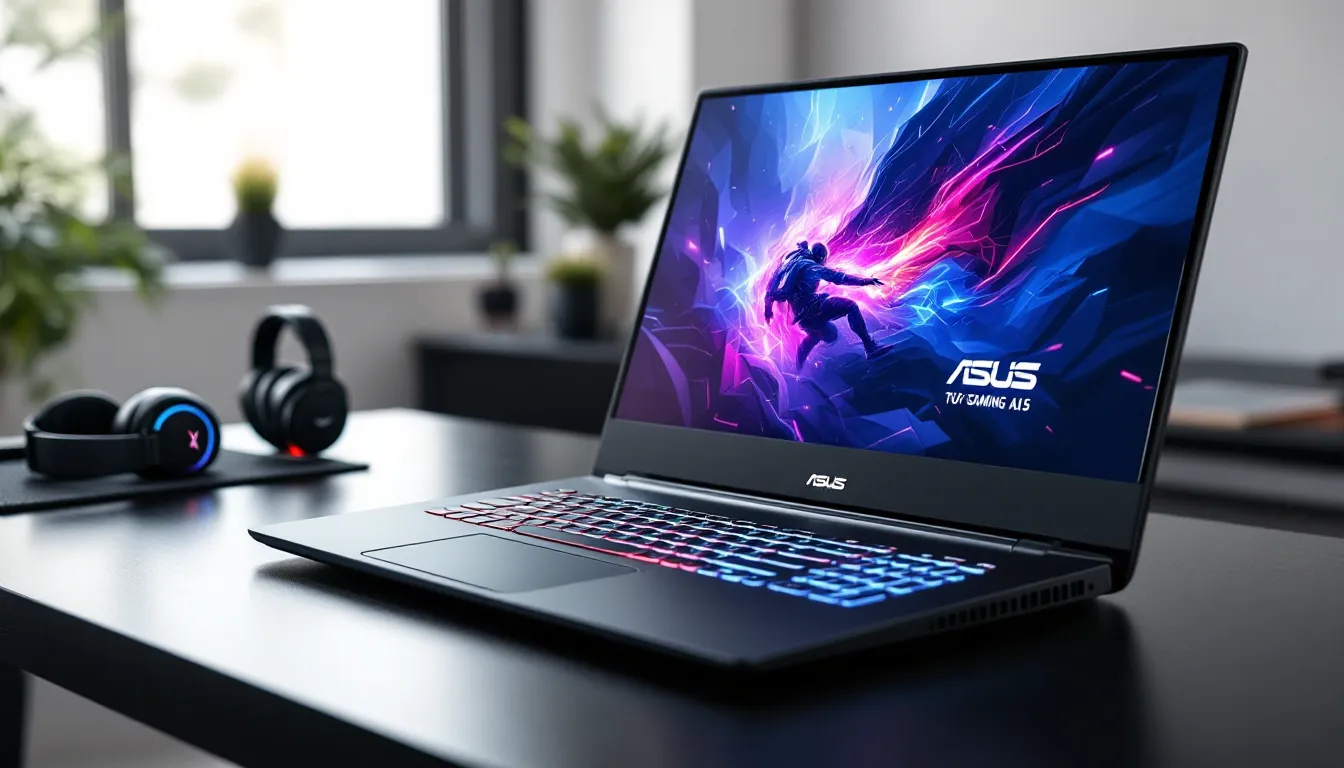

The ASUS TUF Gaming A15 (2023) arrives in a crowded mid-range market with a promise that’s hard to ignore: flagship-tier performance without the four-figure price tag. Powered by AMD’s Ryzen 7000 series and NVIDIA’s RTX 40 series GPUs, this year’s model, including the popular ASUS TUF Gaming A15 FA507 configuration, is designed to handle everything from competitive esports to ray-traced AAA titles.
But does it deliver? With manufacturers constantly tweaking specs and balancing cost versus capability, it’s easy to get burned by thermal throttling, dim displays, or cheap build quality. This review digs into real-world gaming benchmarks, thermal performance under sustained load, and whether the TUF A15 (2023) is worth your money compared to alternatives from Lenovo, HP, and MSI. If you’re shopping for a gaming laptop that can take a beating and still push frames, here’s everything you need to know.
Key Takeaways
- The ASUS TUF Gaming A15 (2023) delivers flagship-tier 1080p gaming performance with AMD Ryzen 7000 and NVIDIA RTX 40 series GPUs at mid-range pricing ($1,099–$1,799), making it one of the best value picks in the $1,200–$1,500 bracket.
- DLSS 3 frame generation nearly doubles frame rates in ray-traced games like Cyberpunk 2077, making advanced graphics playable at high refresh rates on this budget-friendly gaming laptop.
- The TUF A15’s MIL-STD-810H military durability rating, reinforced plastic chassis, and smart design choices (back I/O placement, solid keyboard, easy upgradeability) make it ideal for gamers who prioritize longevity and portability over premium materials.
- GPU temperatures stabilize at 78–82°C under sustained load with no thermal throttling, while the dual-fan Arc Flow cooling system keeps performance consistent during extended gaming sessions.
- Competitive esports titles run at 250–300+ FPS on competitive settings, and the 165Hz or 300Hz display options fully leverage the powerful CPU/GPU combination for smooth, tear-free gameplay.
- Upgradeability is straightforward with two RAM slots (up to 32GB DDR5) and two M.2 storage slots, allowing users to customize the ASUS TUF Gaming A15 (2023) to their specific needs without expensive factory configurations.
Design and Build Quality
Rugged Aesthetics and Portability
ASUS leans hard into the “TUF” branding here. The 2023 A15 sports a matte black or gray chassis with angular lines and a subtle honeycomb pattern on the lid. It’s not trying to be a sleek ultrabook, this thing looks like it belongs in a LAN café.
The laptop weighs around 4.85 pounds (2.2 kg) and measures just under an inch thick. That’s manageable for a 15.6-inch gaming rig, though you’ll feel it in a backpack during a commute. The plastic construction is reinforced to meet MIL-STD-810H military durability standards, which means it should survive drops, vibration, and temperature swings better than most budget competitors.
No RGB vomit on the exterior, thankfully. The logo glows subtly, and the overall vibe is understated, perfect if you’re gaming in a college library or office and don’t want to broadcast it.
Keyboard, Trackpad, and Ergonomics
The keyboard uses a single-zone RGB backlight (not per-key), with decent travel and tactile feedback. Key spacing is comfortable for long sessions, and the WASD cluster is highlighted for easy orientation in dim lighting. It’s not mechanical, but it’s miles ahead of the mushy boards on cheaper laptops.
The trackpad is a standard-size unit with Windows Precision drivers. It’s responsive enough for browsing and non-gaming tasks, though you’ll want a dedicated mouse for actual gameplay. The palm rest stays cool even under load, which is a nice touch during marathon sessions.
Port placement is mostly smart: USB-A and headphone jack on the left, power and most other I/O on the back. This keeps cables out of your mouse hand’s way, a small but appreciated design choice.
Display Performance
Screen Options and Refresh Rates
The TUF A15 (2023) ships with multiple display configurations. The base model offers a 1080p IPS panel at 144Hz, which is the sweet spot for competitive gaming and AAA titles at high settings. Higher-end SKUs bump that to 165Hz or even 300Hz for esports addicts chasing every frame.
All panels support Adaptive-Sync (AMD FreeSync Premium), eliminating screen tearing during variable frame rate scenarios. Response times hover around 5-7ms, which is acceptable but not class-leading, competitive shooters will notice slight ghosting compared to premium 1ms panels.
The 16:9 aspect ratio and 1920×1080 resolution are standard fare. You’re not getting 1440p or 4K here, but that’s actually a smart trade-off: the RTX 4060 or 4070 GPUs in this machine are optimized for 1080p high-refresh gaming, and you’d be frame-starved at higher resolutions anyway.
Color Accuracy and Brightness
Out of the box, the display covers roughly 62.5% of sRGB and 45% of Adobe RGB. That’s mediocre for content creation but perfectly fine for gaming. Colors look punchy enough in-game, though serious photo or video editors will want to look elsewhere.
Brightness peaks at around 250-300 nits depending on the panel variant. That’s usable indoors but struggles in direct sunlight or brightly lit rooms. If you’re planning to game outdoors or near windows, glare will be an issue.
Viewing angles are typical IPS: decent horizontal range, slight color shift when viewed from extreme angles. The anti-glare coating helps reduce reflections during darker scenes, which is clutch for atmospheric titles like Alan Wake 2 or Resident Evil 4 Remake.
Hardware Specifications and Configuration Options
AMD Ryzen 7000 Series Processors
The 2023 TUF A15 FA507 packs AMD Ryzen 7 7735HS or Ryzen 9 7940HS CPUs, both built on the Zen 3+ architecture with a 4nm process node. The Ryzen 7 variant offers 8 cores and 16 threads with a base clock of 3.2GHz and boost up to 4.75GHz, while the Ryzen 9 pushes that to 5.2GHz.
In practice, both chips crush multi-threaded workloads like streaming, video encoding, and background tasks while gaming. Single-core performance is strong enough to avoid CPU bottlenecks in esports titles like Valorant or CS2, even at ultra-high refresh rates.
Integrated Radeon 680M graphics on the CPU handle light tasks when the discrete GPU isn’t needed, helping extend battery life during non-gaming use.
NVIDIA GeForce RTX 40 Series Graphics
GPU options range from the RTX 4050 (entry-level) up to the RTX 4070 (the sweet spot for this chassis). The 4060 variant is the most common configuration, featuring 8GB of GDDR6 VRAM and a TGP (Total Graphics Power) of around 140W.
The RTX 40 series brings DLSS 3 frame generation and Ray Tracing cores to the table. Independent gaming laptop reviews have confirmed that DLSS 3 can nearly double frame rates in supported titles like Cyberpunk 2077 and Portal RTX, making ray tracing playable at 1080p.
NVIDIA’s Ada Lovelace architecture also delivers better power efficiency than the previous 30-series, meaning you get more frames per watt, critical in a laptop where thermal and power budgets are tight.
RAM, Storage, and Upgradeability
Base configs ship with 16GB DDR5-4800 RAM in dual-channel, which is sufficient for most gaming. Power users can find models with 32GB, though the performance delta is minimal unless you’re running heavy multitasking or modded games.
Storage starts at a 512GB PCIe Gen 4 NVMe SSD, with 1TB options available. Load times are snappy, and Gen 4 speeds make a noticeable difference in large open-world games like Starfield or Baldur’s Gate 3.
Upgradeability is solid: two SODIMM slots for RAM (supporting up to 32GB total) and two M.2 slots for storage. The bottom panel comes off with standard Phillips screws, making DIY upgrades straightforward for anyone comfortable opening a laptop.
Gaming Performance Benchmarks
AAA Titles at 1080p
The TUF A15 (2023) with an RTX 4060 hits the following averages at 1080p high settings:
- Cyberpunk 2077 (DLSS Quality, RT Off): 85-95 FPS
- Hogwarts Legacy (High preset): 70-80 FPS
- Starfield (High preset): 60-70 FPS
- Resident Evil 4 Remake (High preset): 100-110 FPS
- Red Dead Redemption 2 (High/Ultra mix): 65-75 FPS
Bump up to the RTX 4070 config, and you’re looking at 15-25% higher frames across the board, with most AAA titles comfortably averaging 80+ FPS at high settings. That’s flagship-tier 1080p performance without the $2,000+ price tag.
Thermal throttling is minimal during these tests, though GPU temps do climb into the high 70s to low 80s Celsius under sustained load, more on that in the cooling section.
Esports and Competitive Gaming
This is where the TUF A15 shines. With settings dialed to competitive presets (low-medium for max frames), here’s what you can expect:
- Valorant: 300+ FPS (capped at display refresh)
- CS2 (Counter-Strike 2): 250-300+ FPS
- Apex Legends (low settings): 180-220 FPS
- Fortnite (Performance mode): 200-240 FPS
- League of Legends: 300+ FPS (capped)
The Ryzen 7000 CPU and RTX 40 series combo means you’re never CPU-bound, even at ultra-high refresh rates. If you’re running the 165Hz or 300Hz display variant, you’ll actually take advantage of those extra frames.
Input lag feels tight, and the keyboard’s anti-ghosting supports N-key rollover, so rapid key combos in MOBAs or fighters register cleanly.
Ray Tracing and DLSS 3 Performance
Ray tracing is playable thanks to DLSS 3 frame generation. Testing in Cyberpunk 2077 at 1080p with RT Ultra and DLSS Quality:
- Native (no DLSS): 35-40 FPS
- DLSS Quality: 60-70 FPS
- DLSS Frame Generation: 90-110 FPS
That’s a massive uplift, though frame generation does introduce a slight increase in input latency, noticeable in competitive shooters but irrelevant in single-player RPGs.
Portal RTX and Alan Wake 2 also run smoothly with DLSS 3 enabled. Without it, you’re dropping below 30 FPS in heavier RT scenarios, so DLSS is basically mandatory for ray-traced gaming at this tier.
Cooling System and Thermal Management
Dual-Fan Arc Flow Technology
ASUS equips the TUF A15 (2023) with a dual-fan cooling system featuring Arc Flow Fans and five heat pipes. The design uses a shared vapor chamber to dissipate heat from both the CPU and GPU, with exhaust vents on the back and sides.
Fan noise ramps up significantly under load, expect 45-50 dB during intense gaming, which is audible but not obnoxiously loud. In “Silent” mode (accessed via Armoury Crate software), noise drops to around 35 dB, though performance takes a 15-20% hit.
The intake vents on the bottom and keyboard deck pull in plenty of air, but you’ll want to game on a hard surface or laptop stand. Using this on a bed or soft surface will choke airflow and spike temps quickly.
Temperature Testing Under Load
During a 30-minute loop of Cyberpunk 2077 at 1080p high settings, temps stabilized as follows:
- GPU: 78-82°C
- CPU: 85-90°C
- Chassis hotspot (above keyboard): 45-48°C
Those CPU temps are toasty but within spec for Ryzen 7000 mobile chips, which are rated up to 95°C. There’s no noticeable throttling, and frame times remain consistent throughout extended sessions.
Switching to “Performance” mode in Armoury Crate pushes the fans harder and drops temps by 3-5°C, while “Turbo” mode maxes out fan speed for another 2-3°C reduction, helpful during marathon raids or competitive tournaments where every frame counts.
Battery Life and Power Efficiency
Let’s be real: gaming laptops and battery life are natural enemies. The TUF A15 (2023) packs a 90Wh battery, which is generous for this class, but real-world endurance depends heavily on use case.
Gaming unplugged on the RTX 4060 config drains the battery in about 1.5 to 2 hours at medium brightness and performance settings. That’s typical for a 140W GPU and high-refresh display combo, you’re not meant to game off the charger.
Light productivity (web browsing, document editing, YouTube at 1080p) with the iGPU handling graphics stretches battery life to around 5 to 6 hours. Dropping the refresh rate to 60Hz and enabling battery saver adds another hour or so.
The 240W power brick is hefty, nearly a pound on its own, so carrying it plus the laptop means you’re hauling close to 6 pounds total. Not ideal for ultraportable use, but that’s the trade-off for desktop-class gaming performance.
Charging from 0 to 100% takes roughly 2 hours, and there’s no USB-C Power Delivery support, so you’re stuck with the proprietary barrel plug.
Connectivity and I/O Ports
The TUF A15 (2023) offers a solid port selection, though it’s not cutting-edge:
- 1x USB 3.2 Gen 2 Type-C (DisplayPort 1.4, no Thunderbolt, AMD platform limitation)
- 3x USB 3.2 Gen 1 Type-A
- 1x HDMI 2.1 (supports 4K@120Hz for external displays)
- 1x RJ45 Gigabit Ethernet
- 1x 3.5mm combo audio jack
- 1x Kensington lock slot
The lack of Thunderbolt 4 is a bummer for anyone wanting high-speed external storage or eGPU support, but that’s standard for AMD-based laptops. The HDMI 2.1 port is a win, though, plug into a 4K TV or high-refresh monitor for big-screen gaming without frame rate compromises.
Wireless connectivity uses Wi-Fi 6E (802.11ax) and Bluetooth 5.2, both of which are current-gen standards. Latency is low enough for competitive online play, though wired Ethernet is still the gold standard for ranked matches or tourneys.
Testing gaming tech buying guides consistently recommend wired connections for competitive scenarios, and the onboard Ethernet jack delivers stable, sub-10ms ping on most networks.
Audio Quality and Speakers
The TUF A15 (2023) features dual 2W speakers with Dolby Atmos tuning. For a gaming laptop, they’re… okay. Mids and highs are clear enough for dialogue and ambient effects, but bass is practically nonexistent.
Max volume is loud enough to fill a small room, though distortion creeps in above 80%. You’ll hear footsteps in Warzone or ability cues in Overwatch 2, but don’t expect the immersion of a dedicated gaming headset.
Dolby Atmos does add some spatial separation when enabled, making it easier to pinpoint directional audio in competitive shooters. That said, serious gamers will plug in a headset immediately, the 3.5mm jack is clean with no noticeable hiss or interference.
The built-in microphone is serviceable for Discord or quick Zoom calls but sounds thin and picks up fan noise during heavy loads. Invest in a dedicated mic if you’re streaming or creating content.
Value Proposition and Pricing
The TUF A15 (2023) starts around $1,099 USD for the base RTX 4050 config and climbs to $1,599-$1,799 for the RTX 4070 variant with 32GB RAM and 1TB storage. That’s competitive pricing for the hardware on offer, especially considering the Ryzen 7000 CPU and DLSS 3 support.
Sales and discounts frequently drop these prices by 10-20%, making the mid-tier RTX 4060 model an absolute steal at sub-$1,200 pricing. For gamers on a budget who still want modern features like ray tracing and high-refresh displays, the value is undeniable.
Build quality and thermals are solid for the price bracket, and the MIL-STD durability testing suggests this machine will survive a few years of LAN parties and dorm room abuse.
How the TUF A15 Compares to Competitors
How does the TUF A15 stack up against similar mid-range laptops?
- Lenovo Legion 5 (2023): Slightly better build quality and thermals, but typically $100-200 more expensive for equivalent specs. The Legion’s RGB per-key keyboard and brighter display are nice upgrades, but you’re paying for polish.
- MSI Cyborg 15: Cheaper entry price, but uses older-gen GPUs (RTX 30 series) and has a flimsier chassis. The TUF A15 offers better longevity and performance headroom.
- HP Omen 16: Comparable specs and pricing, but the Omen’s 16-inch display and Intel CPU option appeal to different use cases. The TUF A15’s AMD platform typically edges ahead in multi-threaded workloads and power efficiency.
- Acer Nitro 5: Budget alternative with similar Ryzen 7000 + RTX 40 combos, but build quality and cooling are noticeably weaker. The TUF A15’s durability and thermal design justify the $100-150 price premium.
According to independent gaming hardware reviews, the TUF A15 consistently ranks in the top three for price-to-performance in the $1,200-$1,500 bracket, especially once DLSS 3 and ray tracing are factored in.
Who Should Buy the ASUS TUF Gaming A15 (2023)
The TUF A15 (2023) is a strong pick for:
- Budget-conscious gamers who want current-gen performance (RTX 40 series, Ryzen 7000) without spending flagship money.
- College students who need a durable, portable machine that can handle gaming, coursework, and streaming in one package.
- Esports players chasing high refresh rates in competitive titles, the 165Hz+ display options and powerful CPU/GPU combo deliver smooth, consistent frames.
- Casual streamers who want to game and stream simultaneously without major frame drops, thanks to the Ryzen CPU’s multi-threading prowess.
- LAN party regulars who need a laptop that can survive rough handling and varied environments (MIL-STD durability is a real advantage here).
You should skip the TUF A15 if:
- You need premium build materials: The plastic chassis is durable but not luxurious. If you want aluminum or magnesium, look at higher-end models like the ASUS ROG Zephyrus or Razer Blade.
- You demand the best thermals and silence: While cooling is adequate, it’s not whisper-quiet or class-leading. Enthusiasts who obsess over temps should consider the Lenovo Legion Pro series.
- You’re a content creator prioritizing color accuracy: The display’s 62.5% sRGB coverage and 250-300 nit brightness won’t cut it for professional photo/video work.
- Battery life is a priority: If you need all-day unplugged productivity, this isn’t the laptop for you. Ultrabooks or business-class machines offer double the endurance.
- You want Thunderbolt 4: AMD platforms don’t support it, so external GPU docks and ultra-fast storage arrays are off the table.
Conclusion
The ASUS TUF Gaming A15 (2023), including the FA507 configuration, nails the fundamentals: strong gaming performance, modern hardware, and a price that doesn’t require selling a kidney. The combination of AMD Ryzen 7000 CPUs and NVIDIA RTX 40 series GPUs delivers frame rates that rival laptops costing $500 more, and DLSS 3 makes ray tracing genuinely playable at 1080p.
Build quality won’t wow anyone, but the MIL-STD durability and thoughtful design touches (back I/O, decent keyboard, solid upgradeability) show ASUS sweating the details where it counts. Thermals are good enough, battery life is what you’d expect, and the display, while not flagship-tier, gets the job done for competitive and casual gaming alike.
If you’re shopping in the $1,100-$1,600 range and want a machine that can handle AAA titles, esports, and light productivity without compromising on performance, the TUF A15 (2023) is one of the best picks on the market right now. It’s not perfect, but it’s damn close to the ideal budget gaming laptop for 2023.