
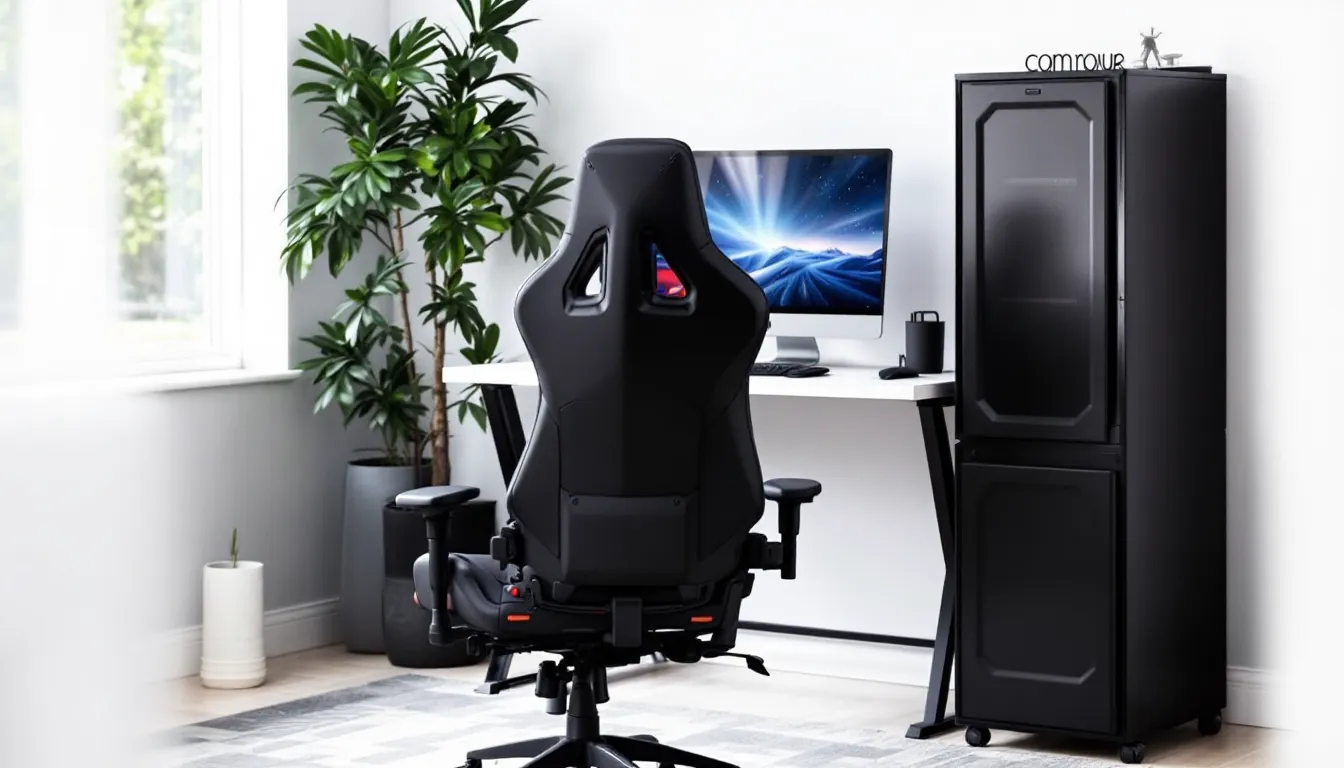

Finding a decent gaming chair when you’re working with a $30 budget feels like hunting for legendary loot in a starter zone, challenging, but not impossible. Whether you’re a student grinding through late-night sessions, a casual gamer setting up your first battlestation, or someone who just needs something better than a kitchen chair for marathon playthroughs, the sub-$30 market has options that won’t completely wreck your back or wallet.
Let’s be real: you’re not getting Herman Miller build quality or the plush leather thrones streamers show off. But you can find chairs that’ll keep you comfortable through multi-hour sessions without developing lower back pain that feels like fall damage. This guide cuts through the noise to show you what’s actually worth buying when your budget caps at thirty bucks, what compromises you’ll make, and how to squeeze every bit of value from an ultra-budget setup.
Key Takeaways
- A gaming chair under $30 can meaningfully improve comfort and performance during extended sessions by reducing fatigue and supporting proper posture compared to basic furniture.
- Top budget-friendly options like the Furmax Office Mesh Chair, AmazonBasics Low-Back Computer Chair, and BirdRock Home Floor Chair deliver solid functionality when priced between $25–30, each suited for different gaming setups.
- Prioritize seat padding depth (17–19 inches), lumbar support, and mesh breathability when selecting a gaming chair under $30 to maximize long-term comfort and health benefits.
- Budget gaming chairs typically last 12–18 months with regular use; treat them as consumable gear and maintain them with quarterly bolt checks, monthly cleaning, and semi-annual gas lift lubrication.
- Consider DIY upgrades like lumbar pillows or seat cushions ($15–20) for your current chair, or explore second-hand market deals for premium refurbished chairs that offer far better long-term value than new budget models.
- Save up for a chair above $100 if you game 4+ hours daily, have existing back problems, or plan permanent work-and-gaming setups, as the ergonomic and durability improvements justify the investment.
Why a Gaming Chair Matters Even on a Tight Budget
Your chair isn’t just furniture, it’s the interface between you and every game you play. Sit in a bad chair for three hours and you’ll feel it in your spine, shoulders, and focus. When you’re shifting constantly to find a comfortable position, you’re not tracking headshots properly or maintaining situational awareness.
Even at the $30 price point, upgrading from a hard wooden chair or a busted office chair with a collapsed seat can legitimately improve your performance. Proper seat support reduces fatigue, which means steadier aim in shooters and better decision-making in strategy games during those critical late-game moments.
The difference shows up in marathon sessions especially. Anyone who’s pushed through a raid tier or ranked grind knows that physical discomfort becomes a performance bottleneck faster than frame drops. A budget gaming chair won’t match premium ergonomics, but it’s a measurable upgrade over sitting on furniture that wasn’t designed for extended static postures.
Beyond performance, there’s injury prevention. Gamers in their teens and twenties often don’t feel the consequences of poor posture immediately, but repetitive strain builds up. Investing even a small amount in proper seating now beats dealing with chronic pain that no amount of healing potions can fix later.
What to Expect from a Gaming Chair Under $30
Build Quality and Materials
At this price bracket, you’re looking at basic mesh fabrics, thin vinyl, or budget foam padding. Most chairs use lightweight steel frames or plastic bases, nothing that’ll handle aggressive movements or years of heavy use. Expect visible seams, simple stitching, and materials that feel utilitarian rather than premium.
Mesh backs are common because they’re cheaper to manufacture and provide basic breathability during long sessions. The foam density in these chairs typically ranges from 1.0 to 1.5 pounds per cubic foot, which means it’ll compress faster than higher-end options. You won’t find memory foam or cold-cure foam at this price.
Construction quality varies wildly between manufacturers. Some chairs at $25-30 actually hold up surprisingly well for a year or two of moderate use, while others start wobbling or tearing within months. The casters (wheels) are almost always hard plastic rather than rubberized, which means they’ll work on carpet but might scratch hardwood floors.
Ergonomic Features and Adjustability
Don’t expect much here. Most sub-$30 gaming chairs offer basic height adjustment via a pneumatic gas lift, but that’s often where adjustability ends. Armrests are usually fixed in position, no 4D adjustment like mid-tier gaming chairs provide.
Lumbar support typically comes as a separate pillow or small cushion rather than built-in adjustable mechanisms. Some chairs skip it entirely. Recline functions are rare at this price, and when they exist, they’re limited to a single locking position rather than smooth multi-angle adjustment.
The seat depth and width are standardized to fit average body types, with little accommodation for taller or shorter users. If you’re over 6’2″ or have a larger frame, you’ll likely find these chairs cramped. The lack of adjustability means you’re adapting to the chair rather than the chair adapting to you.
Durability and Longevity Considerations
Be honest about expectations: a $30 chair probably won’t survive three years of daily 6-hour sessions. The foam will flatten, fabric may tear at stress points, and mechanical components will wear faster than premium alternatives.
Realistically, budget for 12-18 months of regular use before replacement becomes necessary. That’s not a dealbreaker, you’re paying roughly $2 per month for seating, which is still better value than ignoring ergonomics entirely. Heavy users (200+ lbs) should expect shorter lifespans, potentially 8-12 months.
The gas lift cylinders in ultra-budget chairs are the most common failure point. They’ll start losing pressure, causing the seat to slowly sink during use. When this happens, replacement parts often cost as much as buying a new chair. Treat these chairs as consumable gear rather than long-term investments.
Top Gaming Chairs Under $30 You Can Buy Right Now
Best Overall Budget Gaming Chair
The Furmax Office Mesh Chair consistently hits the $28-30 mark during sales and delivers the most balanced package in this price range. It features a mid-back mesh design with adequate lumbar curve, basic tilt mechanism, and pneumatic height adjustment that actually holds position reliably.
The mesh breathability matters during summer sessions or in rooms without great airflow. Users report the seat padding holds up for 12+ months before significant flattening occurs. The armrests are fixed but positioned at a comfortable height for most desk setups. Weight capacity sits at 250 lbs, which covers most users without the frame feeling flimsy.
Assembly takes about 15-20 minutes with included tools. The five-point base and casters roll smoothly on both carpet and hard flooring. It’s not flashy and won’t win any aesthetics awards, but for pure function-per-dollar in traditional office-style seating, this one leads the pack.
Best Compact Option for Small Spaces
The AmazonBasics Low-Back Computer Chair drops to $25-27 regularly and works brilliantly for smaller setups, dorm rooms, or secondary gaming stations. The low-back design takes up less visual and physical space, fitting under desks that wouldn’t accommodate full-height chairs.
It’s surprisingly stable even though the compact footprint, with a smaller base diameter that navigates tight quarters better than standard chairs. The vinyl upholstery cleans easily, critical when you’re gaming in shared spaces or eating at your desk between matches.
The trade-off is minimal back support above the lumbar region, making it less ideal for users over 5’10”. But for shorter gamers or those who prefer perching forward during intense gameplay, the reduced bulk is actually an advantage. Many users from ProSettings community discussions note that compact chairs force better forward posture during competitive sessions.
Best Floor Gaming Chair
The BirdRock Home Adjustable 14-Position Memory Foam Floor Chair hovers around $30 (sometimes dips to $28) and completely changes the seating paradigm. It’s technically not a wheeled chair, but for console gamers or anyone with a low desk/monitor setup, it’s the budget king.
Fourteen reclining positions mean you can go from upright competitive posture to laid-back RPG exploration mode instantly. The memory foam is thinner than premium floor chairs but still provides decent cushioning. The polyester fabric holds up better than expected, though darker colors hide wear better than light ones.
It folds flat for storage, perfect for small apartments or shared spaces where you can’t leave a traditional chair out. Weight capacity is around 225 lbs, and the floor contact distributes weight well enough that you won’t feel pressure points during 2-3 hour sessions. Not ideal for desk gaming, but unbeatable for couch/console setups at this price.
Best Basic Office-Style Gaming Chair
The Homall Gaming Chair occasionally drops to the $29-32 range during major sales events (keep an eye on Prime Day and Black Friday). When it hits that price point, grab it, it’s the closest you’ll get to actual “gaming chair” aesthetics without crossing $40.
The PU leather looks more premium than it is, with racing-style contours and accent stitching. It comes with a lumbar cushion and headrest pillow, both removable. The recline function locks at 90-135 degrees, giving you actual adjustment options rare at this price.
Build quality is the compromise here, the leatherette starts flaking after 6-8 months of heavy use, and the frame feels less sturdy than pure office chairs in this range. But if you want something that looks like a gaming chair for streams or just personal satisfaction, this delivers that aesthetic. Just don’t expect it to last as long as plainer-looking alternatives.
Key Features to Look for When Shopping Under $30
Seat Padding and Comfort Level
Push down hard on the seat cushion before buying if possible, you want at least 2 inches of foam that bounces back relatively quickly. Foam that compresses to nothing under hand pressure will flatten completely under body weight within weeks.
Look for seat depths between 17-19 inches. Shallower seats force you to perch forward awkwardly, while deeper seats can create pressure behind your knees if you’re under 5’8″. Width should accommodate your hips comfortably with about an inch of space on each side, tight seats reduce circulation and cause numbness during long sessions.
The seat edge contour matters more than most realize. A waterfall edge (slightly rounded front) reduces pressure on the back of your thighs compared to hard squared edges. This becomes noticeable after hour two of any session. Check product photos carefully, flat, hard edges are a red flag.
Back Support and Posture Benefits
The backrest should match or slightly exceed your shoulder blade height when seated. Too low and your upper back gets no support: too high in a budget chair often means a flimsy frame that flexes uncomfortably under your weight.
A slight lumbar curve in the backrest, even without adjustable support, makes a massive difference for lower back health. Run your hand along the backrest profile: you should feel a forward curve in the lower third. Completely flat backs force you to add cushions to achieve proper spinal alignment.
Mesh backs provide better airflow but less cushioning. Padded backs feel more comfortable initially but trap heat. In warm climates or rooms without AC, mesh wins. In colder environments or if you run cold naturally, padded backs are more pleasant. Neither is objectively better, match to your environment.
Weight Capacity and Size Compatibility
Manufacturers overstate weight limits on budget furniture consistently. If a chair claims 250 lb capacity, treat 200 lbs as the realistic maximum for durability. Going right up to stated limits accelerates wear on gas lifts, casters, and frame joints.
Check the seat width specifically if you’re broader in the hips or prefer sitting cross-legged. Most budget chairs range from 18-20 inches wide. Anything under 18 inches feels cramped for average builds. Gaming peripheral reviews from sources like PCMag often include user size context that applies to chair shopping too.
Height compatibility gets overlooked constantly. If you’re over 6 feet, verify that the chair’s height range actually accommodates you. Maximum seat height should position your thighs parallel to the ground with feet flat when adjusted to your desk height. Too low and you’re hunching: too high and your feet dangle, killing circulation.
Alternatives to Traditional Gaming Chairs on a Budget
DIY Upgrades for Your Current Chair
Before buying new, evaluate whether your current chair can be saved with $15-20 in upgrades. A decent lumbar pillow ($12-15) and seat cushion ($10-12) can transform a mediocre chair into something usable, keeping you under $30 total while retaining the base chair’s frame.
Memory foam seat cushions with coccyx cutouts are game-changers for hard or worn-out chairs. They distribute weight more evenly and reduce pressure on your tailbone during long sessions. The gel-infused versions stay cooler but cost $3-5 more.
For wobbly chairs, check if the screws just need tightening. A loose frame feels broken but takes five minutes to fix. If the gas lift is shot, replacement cylinders run $15-20 on Amazon, still cheaper than a new chair, and the swap is straightforward with basic tools.
Second-Hand and Refurbished Options
The used market is where $30 can punch way above its weight class. Office liquidation sales, university surplus stores, and Facebook Marketplace regularly list $200+ chairs for $20-40 when companies upgrade or close.
Herman Miller Sayl or Steelcase Series 1 chairs occasionally appear in the $30-50 range with minor cosmetic damage. Torn fabric that doesn’t affect structure is irrelevant if you’re going for pure function. A premium chair with a ripped armrest pad still beats a new budget chair in every measurable way.
Inspect used chairs carefully for frame integrity and gas lift function. Cosmetic wear is fine: structural damage isn’t. Bring wipes to clean thoroughly, used chairs need sanitizing. If the seller allows, sit in it and test all adjustments before committing.
Seat Cushions and Lumbar Pillows
If you’re truly locked at $30 and need maximum impact, skip the chair entirely and invest in premium cushions for whatever you’re sitting on now. A $30 Everlasting Comfort lumbar pillow or Purple seat cushion provides better ergonomic support than any complete chair at that price.
This approach works especially well if you already have a stable chair with a decent frame but poor padding or support. You’re upgrading the comfort layer without replacing functional structural components.
The cooling gel seat cushions around $25-30 make massive differences for summer gaming sessions. Testing from sources like RTINGS shows temperature differences of 5-8°F compared to standard foam, which translates to noticeably less sweat and discomfort during extended play.
Lumbar pillows with adjustable straps secure better than throw pillows. Look for dual-strap designs that attach to the backrest at two points. Single-strap pillows shift during movement, killing their effectiveness right when you need support most.
How to Maximize Comfort and Lifespan of Your Budget Gaming Chair
Proper Assembly and Setup Tips
Read the instructions completely before starting, budget chairs often have specific assembly order requirements that aren’t intuitive. Installing the gas lift before the seat pan, for example, can damage the cylinder on some models.
Don’t overtighten bolts during initial assembly. Snug them up just until resistance, then make a second pass after the chair is fully assembled. Overtightening during construction can strip the threads in soft metals or crack plastic housings. Use a manual screwdriver for final adjustments rather than power tools.
Check that the base sits level before finishing. An uneven floor creates uneven weight distribution that accelerates wear. If your floor isn’t perfectly level, position the chair so the higher side bears less weight based on your sitting posture and movement patterns.
Let the foam “break in” for 2-3 days before judging comfort. New foam often feels firmer than it will after compression cycles. If the chair feels slightly too firm initially, that’s actually ideal, it’ll soften to perfect after normal use.
Maintenance and Cleaning Best Practices
Vacuum mesh chairs weekly to prevent dust buildup that clogs the weave and reduces breathability. Use the upholstery attachment and go over the backrest and seat thoroughly. Built-up grime reduces the mesh’s flexibility and makes it feel stiffer over time.
For vinyl and leatherette surfaces, wipe down monthly with a slightly damp microfiber cloth and mild soap solution. Avoid harsh chemicals that dry out the material and cause cracking. After cleaning, let it air dry completely before use.
Lubricate the gas lift mechanism every 4-6 months with silicone spray. Remove the seat, spray the visible cylinder rod, then extend and compress it several times to work the lubricant in. This simple step can double the lifespan of budget gas lifts that use minimal factory lubrication.
Inspect bolts quarterly and retighten as needed. Budget chairs use softer metals that allow screws to loosen from vibration and movement. Carrying a hex key set in your desk drawer takes zero effort and prevents catastrophic frame failures from loose connections.
Posture Habits to Reduce Strain
Even the best chair can’t fix consistently terrible posture. Your ears should align above your shoulders, which should align above your hips when seated properly. If you’re craning your neck forward to see the monitor, you’re loading your cervical spine incorrectly regardless of chair quality.
Take micro-breaks every 45-60 minutes, just standing for 30 seconds resets pressure points and restores circulation. Set a timer if you lose track during intense sessions. These breaks improve focus and reaction time, not just physical comfort.
Keep feet flat on the floor or on a footrest. Dangling feet create pressure behind your thighs that restricts blood flow and causes numbness. If your chair doesn’t adjust low enough, a $10 footrest solves this completely.
Avoid sitting cross-legged or with one leg tucked under you for extended periods. These asymmetric postures feel comfortable short-term but create uneven pressure distribution that leads to hip and lower back issues over time. Save the casual positions for breaks between ranked matches.
Common Pitfalls to Avoid When Buying Ultra-Cheap Gaming Chairs
Don’t trust product photos blindly. Budget furniture listings often use misleading angles that make chairs look more substantial than they are. Check the dimensions in the specifications, if a “gaming chair” weighs under 15 pounds total, it’s going to feel flimsy regardless of how it photographs.
Beware of unbranded chairs with zero verifiable reviews. Stick to manufacturers with at least some review history, even if mixed. A chair with 500 reviews averaging 3.5 stars gives you real data about failure points and quality issues. A chair with 10 five-star reviews screaming about how it’s “better than $500 chairs…” is either brand new (risky) or astroturfed (avoid).
Shipping costs can kill a deal. A $25 chair with $15 shipping is really a $40 chair. Always check the final checkout price including delivery. Amazon Prime eligible items or store pickup options often beat “lower” prices that add shipping at checkout.
Ignore aesthetic features that add cost without function. Racing stripes, RGB lighting, or excessive logos don’t make a chair more comfortable. At the $30 price point, every dollar spent on looks is a dollar not spent on materials or construction. Plain, boring chairs usually outlast flashy ones in this bracket.
Don’t assume “gaming” in the product name means anything positive. Marketing teams slap that word on everything from mouse pads to water bottles. Judge the chair on objective specs, weight capacity, adjustability, materials, not on gaming branding or aggressive product names.
Return policies matter more at budget prices. Buy from retailers with reasonable return windows. If the chair arrives and feels immediately uncomfortable or wobbly, you need the option to send it back without eating the full cost. Amazon’s return policy is forgiving: random third-party sites often aren’t.
When It Makes Sense to Save Up for a Higher-End Chair
If you’re gaming 4+ hours daily, investing another $70-100 for a $100-130 chair delivers disproportionate returns. The jump from $30 to $100 brings adjustable armrests, better foam density, stronger frames, and warranties that actually mean something. The jump from $100 to $300 is incremental: from $30 to $100 is transformational.
Users with existing back problems shouldn’t compromise on seating. A $30 chair might worsen conditions that proper ergonomic support would alleviate. If you’ve got diagnosed issues, herniated discs, sciatica, chronic pain, talk to a doctor about seating requirements and budget accordingly. Medical problems cost way more than chair upgrades.
Competitive players should consider whether equipment investments elsewhere might give better ROI. If you’re running a 60Hz monitor or a mouse with sensor issues, fixing those bottlenecks might improve performance more than seating upgrades. A $30 chair plus a $70 better mouse could beat a $100 chair with your current peripherals.
If you’re planning to use the chair 8+ hours for work plus gaming, pro-rate the cost across both uses. A $30 chair lasting 12 months for combined work/gaming use costs about $2.50 monthly. A $120 chair lasting 4+ years costs $2.50 monthly. The upfront sting hurts more, but the value calculation tilts toward quality at high-use scenarios.
For temporary situations, dorm rooms, short-term rentals, or secondary gaming spots, budget chairs make perfect sense. Buying a $300 chair you’ll leave behind in eight months is wasteful. A $30 chair you donate or abandon without guilt fits the use case perfectly.
Conclusion
Gaming chairs under $30 exist in a weird space where expectations management is half the battle. You’re not getting adjustable lumbar support, premium materials, or multi-year durability. You are getting something measurably better than a kitchen chair or worn-out hand-me-down, which matters more than gear snobs admit.
The key is matching the chair to your actual situation. Students grinding through a semester before moving? A $30 chair makes total sense. Someone building a permanent setup for daily 6-hour sessions? Start saving for something better while using budget options as a stopgap.
Treat these chairs as consumable gear with a defined lifespan. Maintain them properly, use good posture habits to compensate for limited ergonomics, and replace them when they wear out. At $25-30, you’re spending roughly what you’d drop on a new game, except the chair impacts every session you play, not just one title.
The perfect chair doesn’t exist at this price. But adequate, functional seating that keeps you comfortable enough to focus on gameplay absolutely does. Sometimes good enough is exactly what the situation needs.