
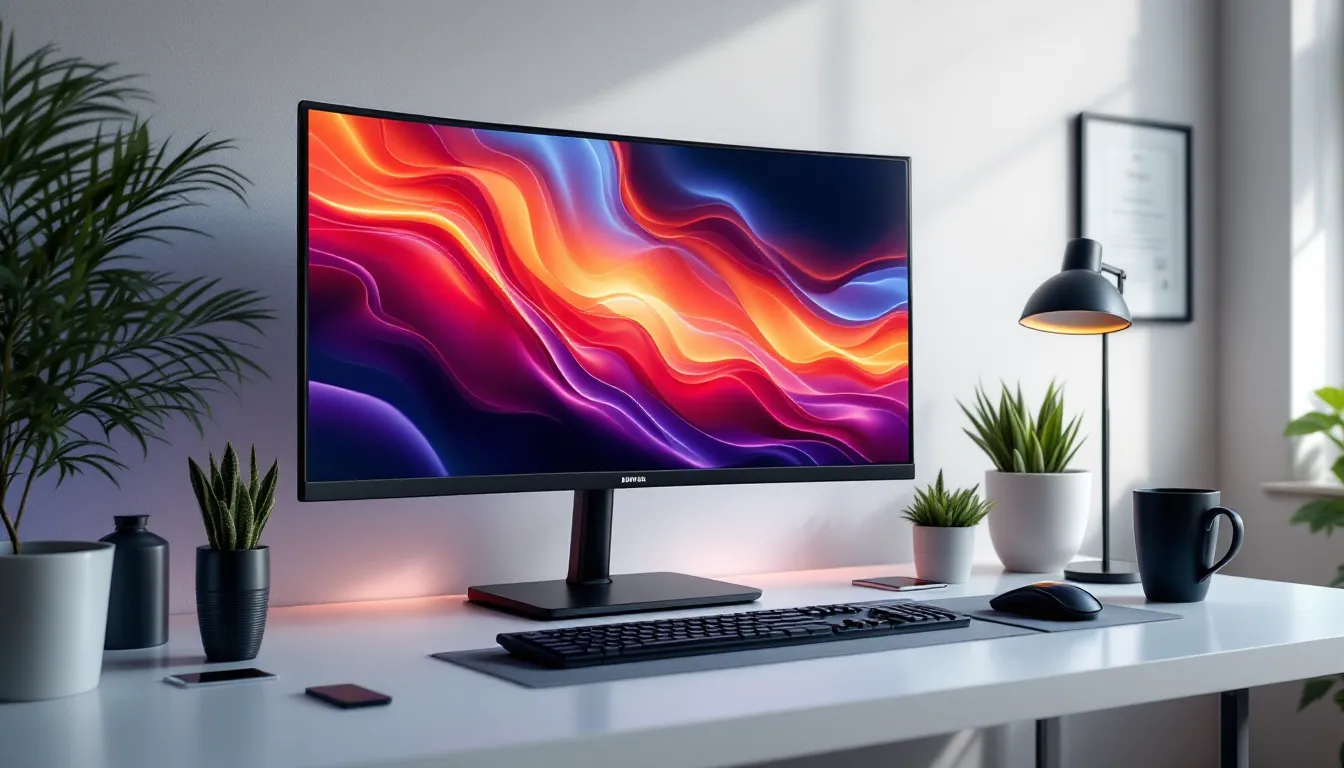

Curved gaming monitors have gone from luxury novelty to competitive staple in just a few years. Samsung’s been leading that charge with everything from budget-friendly 1080p displays to ultrawide behemoths that wrap around your peripheral vision. Whether you’re chasing millisecond advantages in Valorant or just want to feel like you’re actually inside Night City, the right curved monitor makes a tangible difference, and Samsung’s 2026 lineup offers something for nearly every gamer and budget.
This guide breaks down what actually matters when shopping for a Samsung curved gaming monitor: the specs that impact your gameplay, the models worth considering, and how to get the most out of whichever screen you choose. No marketing fluff, just the details gamers need to make an well-informed choice.
Key Takeaways
- Samsung curved gaming monitors eliminate eye strain during long sessions by matching your natural field of view, with 1000R displays providing the most effective immersion benefits for gamers.
- The 27-32 inch 1440p range at 165-240Hz represents the performance sweet spot for most gamers, offering competitive-grade response times without sacrificing the immersion that curved screens provide.
- QLED and Mini-LED Samsung models deliver superior HDR gaming experiences with 600-1000 nits peak brightness, making HDR highlights genuinely impactful compared to standard VA panels.
- Sim racing, flight simulation, and open-world games see the most dramatic improvements on curved ultrawides, while competitive FPS players should stick with 27-32 inch models to avoid eye travel disadvantages.
- Proper setup is critical—position your Samsung curved gaming monitor at the optimal 1-meter viewing distance, enable adaptive sync via DisplayPort 1.4, and calibrate picture settings for your game type to maximize performance.
Why Choose a Samsung Curved Gaming Monitor?
Samsung didn’t invent the curved display, but they’ve refined it to the point where most gamers shopping for curved screens end up comparing everything else to their models. There’s solid reasoning behind that dominance, rooted in both the technology itself and Samsung’s specific innovations.
The Science Behind Curved Screen Immersion
The human eye naturally sees in a curve, not a flat plane. When you stare at a flat monitor, the edges are technically farther from your eyes than the center, your brain compensates, but it takes extra processing. Curved screens eliminate that distance discrepancy, wrapping the display around your natural field of view.
For gaming, this translates to reduced eye strain during long sessions and genuinely improved peripheral awareness in titles where edge-of-screen information matters. The curvature rating (measured in millimeters like 1000R or 1800R) determines how aggressive that wrap is, lower numbers mean tighter curves. Samsung’s 1000R displays match the natural curve of human vision almost exactly, making them especially effective for immersive single-player games and sim racing.
The effect is most pronounced on ultrawides. A 32-inch curved 16:9 screen offers noticeable immersion benefits, but a 49-inch 32:9 ultrawide genuinely changes how games feel. Peripheral vision picks up movement and detail that would otherwise require head turning or camera adjustments.
Samsung’s Innovation in Gaming Display Technology
Samsung holds significant advantages in panel manufacturing. They produce their own VA (Vertical Alignment) and QLED (Quantum Dot LED) panels in-house, giving them control over quality, color accuracy, and response times that third-party assemblers can’t match.
Their QLED technology, not to be confused with OLED, uses quantum dot layers to produce wider color gamuts and higher brightness levels than standard LED-backlit displays. This matters most in HDR gaming, where peak brightness determines how convincing highlights and specular reflections appear. Samsung’s 2026 models routinely hit 600-1000 nits in HDR mode, well above the HDR400 minimum that barely qualifies as HDR.
Samsung also pioneered high refresh rate curved displays. While competitors were still pushing 60Hz and 75Hz curved screens, Samsung introduced 144Hz and 240Hz models that proved curved panels could handle competitive gaming. Their current flagship models support 240Hz refresh rates with 1ms (MPRT) response times, closing the gap that once existed between curved VA panels and flat IPS/TN screens for competitive use.
Key Features to Look for in Samsung Curved Gaming Monitors
Not all Samsung curved monitors are built for the same purpose. Knowing which specs actually matter for your gaming habits prevents overspending on features you won’t use or skimping on ones that’ll frustrate you daily.
Screen Size and Curvature Rating Explained
Samsung’s gaming monitors range from 24 inches to 57 inches, with curvature ratings between 1000R and 1800R. Here’s how to match size and curve to your setup:
- 24-27 inches (1800R-1500R): Best for competitive FPS gaming where you need to see the entire screen without eye movement. The gentler curve works fine at this size since you’re sitting closer anyway.
- 32 inches (1500R-1000R): Sweet spot for most gamers. Provides immersion without requiring ultrawide desk space. 1000R curve starts making a real difference at this size.
- 34-49 inches ultrawide (1000R): Maximum immersion for sims, RPGs, and productivity multitasking. Requires deeper desks (24+ inches) to position properly. The 1000R curve is essential at this width, anything gentler feels nearly flat.
- 55-57 inches super-ultrawide (1000R): Niche category for sim racing enthusiasts and those who want to replace multi-monitor setups. Demands significant desk real estate and GPU horsepower.
The R-rating refers to the radius of the circle that the curve would form if extended, a 1000R curve means the screen follows a circle with a 1000mm (1 meter) radius. Tighter curves (lower R numbers) increase immersion but work best when you’re sitting at the optimal distance. Sit too close to a 1000R screen and it feels distorted: sit too far and you lose the benefit.
Refresh Rate and Response Time Considerations
Refresh rate determines how many frames per second your monitor can display. Higher refresh rates reduce motion blur and input lag, giving competitive advantages in fast-paced games.
Samsung’s 2026 curved gaming lineup includes:
- 144Hz: Minimum for serious gaming. Noticeable improvement over 60Hz for any game type. Most gamers should consider this the baseline.
- 165Hz-180Hz: Mid-tier option that handles competitive gaming well without requiring top-end GPUs to push frames.
- 240Hz: High-end standard for competitive FPS and MOBA players. Requires powerful hardware but provides tangible advantages in twitch-based games.
- 360Hz: Bleeding edge, only justified for professional esports players or those with unlimited budgets and RTX 4090-class GPUs.
Response time measures how quickly pixels change color, typically listed as either GTG (gray-to-gray) or MPRT (moving picture response time). Samsung’s gaming monitors typically spec 1ms MPRT, though real-world GTG performance varies by model. For competitive gaming, prioritize monitors with overdrive settings that minimize ghosting without introducing inverse ghosting artifacts.
One thing to watch: marketing materials often list “1ms response time” without clarifying the measurement method. Independent testing from RTINGS provides actual measured response times that sometimes differ from manufacturer claims.
Resolution Options: 1080p, 1440p, and 4K
Resolution determines image sharpness but also impacts GPU requirements and available refresh rates:
1080p (1920×1080):
- Easiest to drive at high refresh rates
- Acceptable on 24-27 inch screens, starts looking pixelated on anything larger
- Best choice for competitive gaming on mid-range GPUs (RTX 4060, RX 7600 tier)
- Samsung’s budget curved models typically use this resolution
1440p (2560×1440):
- Sweet spot for most gamers in 2026
- Sharp enough on 27-32 inch screens to eliminate visible pixels at normal viewing distances
- High-end GPUs (RTX 4070 and up) can hit 144+ FPS in most titles
- Samsung’s mid-range and premium models favor this resolution
4K (3840×2160):
- Overkill for competitive gaming due to GPU demands
- Ideal for single-player AAA titles and productivity work
- Requires RTX 4080/4090 or RX 7900 XTX to maintain high framerates
- Limited to 144Hz even on Samsung’s best panels, 240Hz 4K doesn’t exist yet in curved gaming monitors
Ultrawide resolutions add complexity: 3440×1440 (UWQHD) is roughly 30% more demanding than standard 1440p but delivers significantly more immersion. Samsung’s 49-inch models run 5120×1440 (dual QHD), which demands similar GPU power to 4K but distributes those pixels across a much wider canvas.
Panel Types: VA vs QLED Technology
Samsung’s curved gaming monitors use either standard VA panels or their enhanced QLED VA panels. Understanding the difference helps set expectations:
VA (Vertical Alignment) panels:
- High native contrast ratios (3000:1 to 6000:1 typical)
- Deep blacks without the backlight bleed common on IPS panels
- Historically slower response times than IPS/TN, though Samsung’s gaming VAs have closed this gap considerably
- Viewing angles narrower than IPS (less relevant for curved single-user displays)
- Budget and mid-range Samsung curved monitors use standard VA
QLED (Quantum Dot LED) panels:
- All the VA benefits plus quantum dot layer for expanded color gamut
- Significantly higher peak brightness (600-1000 nits vs 300-400 for standard VA)
- Better HDR performance with more vibrant colors
- Samsung’s premium curved gaming models feature QLED
- Still VA-based, so response time and viewing angle characteristics remain similar
For competitive gaming, standard VA is fine, response times on Samsung’s gaming VAs rival IPS in 2026, and the contrast advantage makes spotting enemies in shadows easier. For single-player gaming and HDR content, QLED justifies the price premium with noticeably more impactful visuals.
Top Samsung Curved Gaming Monitors in 2026
Samsung’s current lineup covers the full spectrum from budget-conscious to wallet-draining. Here are the models that make the most sense for different gaming priorities and budgets.
Best Budget Option for Entry-Level Gamers
The Samsung Odyssey G5 27-inch (2026 refresh) remains the go-to recommendation for gamers entering the curved monitor market without very costly. It hits the essential marks without unnecessary extras:
- 27-inch 1440p VA panel with 1000R curvature
- 165Hz refresh rate with AMD FreeSync Premium
- 1ms (MPRT) response time
- HDR10 support (though peak brightness only reaches ~350 nits)
- Typically available for $250-300
This monitor won’t impress spec chasers, but it delivers a solid 1440p gaming experience at refresh rates that mid-range GPUs can actually sustain. The 1000R curve provides genuine immersion benefits at 27 inches, and the VA panel’s contrast makes games look punchy even without high-end HDR.
Limitations include mediocre color accuracy out of the box (calibration helps) and basic stand adjustability. Budget an extra $30-50 for a VESA mount if you want height and tilt flexibility.
Mid-Range Performance Monitors for Competitive Gaming
For gamers prioritizing performance over ultrawide immersion, the Samsung Odyssey G7 32-inch occupies the competitive sweet spot:
- 32-inch 1440p QLED VA panel, 1000R curve
- 240Hz refresh rate with G-Sync compatibility and FreeSync Premium Pro
- Genuine 1ms GTG response time (verified by independent testing)
- 600-nit peak brightness with HDR600 certification
- Premium build quality with extensive ergonomic adjustments
- $500-600 price range
This is the monitor for competitive gamers who want the immersion of a curved screen without sacrificing response time or refresh rate. The 240Hz capability means it’ll handle whatever framerates you can push for years to come, and the QLED panel makes HDR content actually worth enabling.
The 32-inch size splits the difference between FPS-focused 27-inch displays and ultrawide immersion screens. Testing from Tom’s Hardware consistently ranks the G7 series among the fastest curved gaming monitors for pixel response, making it viable for high-level competitive play.
For those wanting ultrawide benefits without the extreme width, the 34-inch Odyssey G5 ultrawide (3440×1440, 165Hz, ~$450) offers a middle ground with the same QLED panel quality in a more manageable form factor.
Premium Ultrawide Models for Ultimate Immersion
Samsung’s flagship Odyssey Neo G9 57-inch represents the absolute peak of curved gaming monitor technology in 2026, and the most controversial. This super-ultrawide monster specs out at:
- 57-inch dual-4K (7680×2160) Mini-LED panel
- 32:9 aspect ratio with 1000R curve
- 240Hz refresh rate with both G-Sync Ultimate and FreeSync Premium Pro
- Quantum Mini-LED with 1,196 local dimming zones
- 1000-nit peak brightness, DisplayHDR 1000 certified
- Typically $2,500-2,800
This isn’t a monitor for everyone. It requires a GPU capable of pushing over 16 million pixels at high framerates (think RTX 4090 or dual-GPU setups), a desk at least 30 inches deep to position properly, and acceptance that many games don’t support 32:9 aspect ratios without UI stretching or black bars.
But for sim racing, flight simulators, and immersive single-player games? Nothing else compares. The 1000R curve at 57 inches genuinely wraps around your peripheral vision, and the Mini-LED backlighting delivers OLED-rivaling contrast with none of the burn-in risk.
For those wanting premium ultrawide without the extreme size, the 49-inch Odyssey OLED G9 (5120×1440, 240Hz, ~$1,800) offers a more balanced alternative. It trades some horizontal real estate and vertical pixels for actual OLED panel technology with infinite contrast and per-pixel dimming. The OLED also introduces burn-in considerations for static UI elements, but Samsung’s panel warranty now covers burn-in for three years.
Performance Analysis: Gaming Experience Across Different Genres
Curved monitors impact different game genres in distinct ways. Here’s how Samsung’s curved displays perform where it actually matters.
FPS and Competitive Gaming Performance
The competitive gaming community was skeptical of curved monitors for years, concerns about edge distortion and slower VA response times kept most pros on flat IPS or TN panels. Samsung’s recent curved gaming monitors have largely eliminated those concerns, but genre-specific considerations remain.
Advantages for FPS gaming:
- Peripheral vision picks up movement more naturally, especially on 27-32 inch screens at proper viewing distances
- VA panel contrast makes spotting enemies in shadows easier than washed-out IPS displays
- 240Hz models eliminate motion blur as effectively as flat competitors
- 1000R curve at 27 inches keeps the entire screen equidistant from eyes, reducing the micro-adjustments your eyes make scanning corners
Potential drawbacks:
- Some players report the curve interferes with pixel-perfect aiming in games like CS2 or Valorant (highly individual, most adapt within days)
- Ultrawide curved screens are actively disadvantageous for competitive FPS due to increased eye travel distance
- Not all esports tournaments allow curved monitors, though this restriction is fading
Bottom line: Samsung’s 240Hz 27-32 inch curved monitors (G7 series) perform competitively with flat alternatives. Competitive benchmarks from Hardware Times show negligible input lag or response time disadvantages compared to premium flat gaming monitors.
For actual tournament play, check specific rulebooks. Most regional and online tournaments now permit curved displays, but some LAN events standardize flat monitors for all players.
Open-World and Adventure Game Immersion
This is where curved monitors, especially Samsung’s ultrawides, truly shine. Open-world games benefit massively from increased horizontal FOV and peripheral wrap.
Games like Elden Ring, Cyberpunk 2077, Red Dead Redemption 2, and Starfield transform on ultrawides. The extra horizontal space provides genuine gameplay advantages: spotting distant landmarks, tracking multiple enemies during combat, and simply feeling more present in the game world.
The 1000R curve enhances this by making peripheral information feel more natural. On a flat ultrawide, content at the screen edges requires deliberate eye movement to focus on: curved screens bring that content into your field of view without conscious effort.
Samsung’s QLED panels particularly enhance these experiences. The high contrast and expanded color gamut make sunsets, HDR lighting, and detailed textures pop in ways that standard monitors can’t match. Peak brightness matters for HDR, a sunset in Horizon Forbidden West genuinely feels brighter than the surrounding environment on a 1000-nit QLED, while a 300-nit display just shows everything compressed.
One technical note: not all games handle 21:9 or 32:9 aspect ratios gracefully. Some render UI elements at screen edges where they’re harder to see, others letterbox the image, and a few (mostly older titles or bad PC ports) simply don’t support ultrawide at all. Community mods often fix these issues, but it’s worth checking PCGamingWiki before buying an ultrawide for a specific game.
Racing and Simulation Gaming Benefits
Sim racing and flight simulation represent the absolute peak use case for curved ultrawides. The benefits here aren’t just immersion, they’re functional.
In racing sims like iRacing, Assetto Corsa Competizione, and F1 24, peripheral vision provides critical spatial awareness. A 49-inch 32:9 curved monitor approximates what you’d see in an actual car cockpit, letting you track corner apexes, spot competing cars in adjacent lanes, and judge braking points using peripheral reference.
Many sim racers previously ran triple-monitor setups to achieve similar FOV. Samsung’s super-ultrawide models replace that entire setup with a single display, no bezel gaps, simpler cable management, and lower GPU overhead (rendering one ultra-wide image is less demanding than three separate displays).
The 1000R curve is essential for racing. Sit at the correct distance (roughly 1 meter from screen center) and the display wraps around your vision almost exactly like a car’s windshield. The Neo G9’s 57-inch width provides enough horizontal FOV to nearly eliminate blind spots.
Flight sims benefit similarly. Microsoft Flight Simulator 2024 and DCS World on a curved ultrawide provide cockpit immersion that flat screens simply can’t match. Being able to track instruments, external references, and controls simultaneously without dramatic head movement significantly improves the simulation experience.
Samsung Gaming Features and Technologies
Beyond the basic specs, Samsung packs their gaming monitors with technologies designed to improve visual quality and reduce common gaming annoyances.
AMD FreeSync and G-Sync Compatibility
Screen tearing, when your monitor’s refresh rate doesn’t sync with your GPU’s frame output, creates visual artifacts that break immersion and make aiming difficult. Adaptive sync technologies eliminate this by dynamically matching the monitor’s refresh to the GPU’s frame output.
Samsung’s gaming monitors support AMD FreeSync Premium or FreeSync Premium Pro as standard. This means native support for AMD Radeon GPUs with variable refresh rate, plus low framerate compensation (LFC) that maintains smooth performance even when framerates dip below the monitor’s minimum refresh rate.
Even though being FreeSync-branded, most Samsung gaming monitors also work with Nvidia G-Sync through G-Sync Compatible certification. This isn’t full hardware G-Sync (which requires Nvidia’s proprietary module), but it provides the same core benefit: tear-free gaming with Nvidia GPUs.
Key model distinctions:
- Budget/mid-range Samsung monitors: FreeSync Premium, G-Sync Compatible
- Premium models (Odyssey Neo G9, etc.): FreeSync Premium Pro + G-Sync Ultimate, adding HDR certification to the adaptive sync
To enable G-Sync on Samsung monitors with Nvidia GPUs, you’ll need to manually enable it in the Nvidia Control Panel, it doesn’t activate automatically. Make sure you’re using DisplayPort 1.4 or HDMI 2.1: older cables don’t support adaptive sync at high refresh rates.
HDR Support and Color Accuracy
HDR (High Dynamic Range) expands the range between the darkest blacks and brightest whites a display can show, along with a wider color gamut. But HDR quality varies wildly based on the monitor’s peak brightness and dimming implementation.
Samsung’s HDR tiers:
- HDR10 support (basic models): Monitor can receive and display HDR signal, but peak brightness under 400 nits means limited dynamic range. Mostly a checkbox feature.
- DisplayHDR 400: VESA certification confirming 400-nit peak brightness. Noticeable improvement over SDR in bright scenes, but still limited.
- DisplayHDR 600 (QLED models): 600-nit peaks make HDR highlights actually impactful. This is where HDR starts genuinely improving the gaming experience.
- DisplayHDR 1000 (Neo G9, premium models): 1000-nit peaks with local dimming deliver dramatic HDR. Specular highlights, explosions, and bright sky actually look brighter than the surrounding image.
The Neo G9’s Quantum Mini-LED with 1,196 dimming zones represents Samsung’s best HDR implementation. It approaches OLED contrast without burn-in risk, though you can still notice blooming around bright objects on dark backgrounds if you’re looking for it.
Color accuracy varies by model. Samsung’s QLED panels typically cover 95-100% of the DCI-P3 color space used for HDR content, significantly wider than the sRGB space most budget monitors target. Out-of-box accuracy is decent but not professional-grade, plan on spending 30 minutes with calibration settings if color precision matters for your work.
Eye Comfort and Flicker-Free Technology
Gaming sessions stretch for hours, and eye strain accumulates. Samsung includes several technologies to reduce fatigue:
Flicker-Free backlighting: Standard monitors use PWM (pulse width modulation) to dim the backlight, which creates invisible flickering that contributes to eye strain. Samsung’s flicker-free implementation uses DC dimming instead, eliminating the flicker entirely.
Eye Saver Mode: Reduces blue light emission, which can interfere with sleep patterns during late-night sessions. The tradeoff is slightly warmer color temperature, which affects color accuracy. Fine for gaming, less ideal for content creation.
Low Blue Light certification: Samsung’s gaming monitors meet TÜV and Eyesafe standards for reduced blue light emission.
The curve itself reduces eye strain by eliminating the constant refocusing your eyes do when scanning a flat display. On a flat monitor, the edges are farther from your eyes than the center, your eyes refocus constantly while gaming. The 1000R curve keeps all content equidistant, reducing that fatigue over long sessions.
Setup and Optimization Tips for Peak Performance
Buying the right monitor is half the equation. Proper setup and calibration extract maximum performance from Samsung’s curved gaming displays.
Optimal Viewing Distance and Positioning
The curvature rating determines ideal viewing distance. For Samsung’s 1000R displays, optimal positioning places your eyes approximately 1 meter (39 inches) from the screen center. At this distance, the curve matches your natural field of view perfectly.
Practical positioning guidelines:
- 24-27 inch monitors: 60-80cm viewing distance works well: adjust based on personal preference and resolution
- 32 inch monitors: 80-100cm distance: sitting closer than 70cm can make the curve feel aggressive
- 34-49 inch ultrawides: 90-110cm: these need deeper desks to position properly
- 57 inch Neo G9: 100-120cm minimum: plan on a 30+ inch deep desk
Height positioning matters too. The monitor’s center should align roughly with your eye level when sitting naturally. Most Samsung gaming monitors include height-adjustable stands (budget G5 models being the exception), but VESA mounting provides more flexibility.
Angle the top of the screen very slightly backward (10-15 degrees from vertical). This compensates for viewing the upper screen from below and ensures consistent image quality across the entire panel.
Calibration Settings for Different Game Types
Samsung monitors include numerous picture modes optimized for different content. Out-of-box settings rarely provide the best experience, spending ten minutes adjusting settings pays dividends.
For competitive FPS games (Valorant, CS2, Apex Legends):
- Picture Mode: FPS or Custom
- Black Equalizer: 15-18 (brightens shadows to spot hiding enemies without washing out highlights)
- Brightness: 75-80
- Contrast: 75
- Response Time: Fastest (accept slight overshoot for minimum motion blur)
- Adaptive Sync: Enabled
- HDR: Disabled (competitive advantage over visual fidelity, HDR adds input lag on most monitors)
For single-player/RPG games:
- Picture Mode: RPG or Custom
- Black Equalizer: 13-15 (preserve shadow detail without crushing blacks)
- Brightness: 80
- Contrast: 75-80
- Response Time: Faster (balanced setting reduces overshoot)
- Adaptive Sync: Enabled
- HDR: Enabled (if monitor supports HDR600 or better)
For racing/flight sims:
- Picture Mode: Custom
- Black Equalizer: 13 (maintain realistic lighting contrast)
- Brightness: 70-75
- Contrast: 80
- Response Time: Faster
- Adaptive Sync: Enabled
- HDR: Enabled
These are starting points, individual panel variance and room lighting conditions require fine-tuning. Most Samsung gaming monitors include an on-screen crosshair, refresh rate counter, and black frame insertion options that some users find helpful.
Cable and Connection Requirements
Using the wrong cable limits your monitor’s capabilities. Here’s what you need for Samsung’s gaming monitors at different specs:
DisplayPort 1.4:
- Required for 1440p at 240Hz
- Supports adaptive sync at all refresh rates
- Maximum bandwidth: 32.4 Gbps
- Recommended cable for all Samsung gaming monitors unless you specifically need HDMI
HDMI 2.0:
- Supports up to 1440p at 144Hz or 4K at 60Hz
- FreeSync works but G-Sync requires DisplayPort
- Use only if your GPU lacks DisplayPort outputs
HDMI 2.1:
- Supports 4K at 144Hz and variable refresh rate
- Required for PlayStation 5 and Xbox Series X at 120Hz
- Samsung’s latest premium monitors include HDMI 2.1 ports specifically for console support
The cable included with your monitor is often mediocre. If you experience flickering, signal dropouts, or failure to reach advertised refresh rates, try a certified high-speed cable before assuming the monitor is defective. Cable Matters and Club3D make reliable DisplayPort 1.4 cables that cost under $15.
For ultrawide monitors running at high refresh rates, cable quality matters more than usual. The increased bandwidth makes cheaper cables more prone to signal degradation.
Samsung Curved Monitors vs the Competition
Samsung dominates the curved gaming monitor market, but they’re not without competition. Understanding how they stack up helps justify the investment.
How Samsung Stacks Up Against Other Gaming Brands
Samsung’s primary curved monitor competitors include ASUS ROG, MSI, Gigabyte, and LG. Here’s how they compare:
Panel quality: Samsung manufactures their own panels, while most competitors buy panels from Samsung or other suppliers. This gives Samsung first access to their latest panel technology and tighter quality control. Many “competitor” curved monitors literally use Samsung-manufactured panels in third-party housings.
Price-to-performance: Samsung’s budget and mid-range offerings (G5, G7 series) consistently undercut competitors with similar specs. ASUS and MSI charge premium prices for brand recognition and RGB lighting: Samsung focuses budget on the actual panel.
Innovation timeline: Samsung introduces new curved panel technologies (higher refresh rates, tighter curves, Mini-LED backlighting) 6-12 months before competitors. If you want bleeding-edge curved tech, Samsung gets there first.
Build quality and aesthetics: ASUS ROG monitors typically feature more premium stands and aggressive gaming aesthetics. Samsung’s design language is cleaner but the budget models use cheaper plastic. Premium Odyssey models match or exceed ASUS build quality.
Software and features: ASUS and MSI monitors often include more elaborate OSD (on-screen display) software with additional gaming features. Samsung’s interface is simpler but covers the essentials.
For most gamers, Samsung offers better value in the curved segment. The exceptions are users who specifically want ASUS’s aesthetic, ROG ecosystem integration, or MSI’s feature-rich OSD software.
LG competes more directly in flat gaming monitors and OLED displays. Their curved offerings are limited and generally can’t match Samsung’s specs or pricing.
Curved vs Flat Monitors: Which Is Right for You?
Curved monitors aren’t universally superior, they solve specific problems while creating others. Here’s when each makes sense:
Choose curved (Samsung or otherwise) if:
- You primarily game solo and the monitor serves a single user at a single position
- Immersion matters more than competitive millisecond advantages
- You’re considering ultrawide (21:9 or 32:9) aspect ratios, the wider the screen, the more curve benefits
- You have desk depth to position the monitor at optimal viewing distance
- You play racing sims, flight sims, or immersive single-player games regularly
Choose flat if:
- Multiple people view the monitor simultaneously (viewing angles matter)
- You do professional photo/video editing requiring zero geometric distortion
- You play exclusively competitive esports titles and any potential distortion concerns you
- Desk space is limited and you must sit very close (<60cm) to the screen
- You frequently switch between landscape and portrait orientations (curved monitors don’t rotate well)
The curved vs flat debate has largely settled: neither is objectively better. Curved monitors provide measurable immersion benefits for the right use cases, while flat monitors remain more versatile and slightly better for competitive gaming and content creation.
For gaming-focused setups, Samsung’s curved options make sense for about 70% of users. The remaining 30% benefit more from flat displays, usually competitive players who prioritize response time and tournament-standard equipment, or content creators who need geometric accuracy.
Common Issues and Troubleshooting
Even premium monitors occasionally exhibit problems. Here’s how to diagnose and fix the most common issues with Samsung curved gaming monitors.
Screen Tearing and Ghosting Solutions
Screen tearing (horizontal split in the image where two frames overlap) indicates adaptive sync isn’t working properly:
- Verify you’re using DisplayPort 1.4 or HDMI 2.1, older cables don’t support adaptive sync at high refresh
- Enable FreeSync in the monitor’s OSD menu (usually under Game Settings)
- For Nvidia GPUs: Open Nvidia Control Panel > Set up G-Sync > Enable G-Sync for your Samsung monitor
- For AMD GPUs: Open AMD Software > Display > Enable AMD FreeSync
- Confirm the game is running in fullscreen mode (borderless windowed often disables adaptive sync)
- Check that your framerate stays within the monitor’s adaptive sync range (usually 48Hz-240Hz depending on model)
If tearing persists, try enabling V-Sync in-game as a last resort, it adds input lag but eliminates tearing when adaptive sync fails.
Ghosting (motion blur trails behind moving objects) usually comes from aggressive response time settings:
- In the monitor’s OSD, reduce the Response Time setting from “Fastest” to “Faster” or “Standard”
- “Fastest” overdrive creates inverse ghosting (light trails) on Samsung VA panels: “Faster” balances blur reduction and overshoot
- If ghosting only appears in specific games, check that the game is actually reaching high framerates, ghosting is more visible at low FPS
Modern Samsung gaming monitors have largely eliminated the VA ghosting problem that plagued earlier generations, but it can still appear in extreme pixel transitions (dark to bright or vice versa).
Dealing with Dead Pixels and Backlight Bleed
Dead pixels (permanently black or stuck pixels) are covered under Samsung’s warranty if they exceed the defect threshold:
- Samsung’s pixel policy varies by region, but generally requires 3+ dead pixels or 5+ stuck pixels for warranty replacement
- Test for dead pixels using solid color fullscreen images (red, green, blue, white, black)
- A single dead pixel in the corner might not meet replacement criteria: dead pixels in the center have better replacement odds
- Some stuck pixels (showing wrong color but not dead) can be unstuck using pixel-fixing software that rapidly cycles colors, success rate is maybe 30%
Backlight bleed (light leaking around screen edges, most visible on black screens) affects all LCD monitors to some degree:
- Minor edge bleed is normal and usually invisible during actual gaming
- Severe bleed (bright spots visible during normal content) qualifies for warranty return
- Reduce perceived bleed by lowering brightness, running monitors at 100% brightness exaggerates bleed
- Ensure the monitor stand or VESA mount isn’t torquing the panel (over-tightened mounts can create pressure points that worsen bleed)
Samsung’s VA panels typically show less backlight bleed than IPS but can exhibit “VA glow”, a slight brightening in corners when viewed off-angle. This is inherent to VA technology and not a defect.
If you receive a monitor with unacceptable dead pixels or backlight bleed, initiate a return or warranty claim immediately. Panel issues don’t improve over time, and early claims process faster than trying to claim a defect after months of use.
Conclusion
Samsung’s curved gaming monitor lineup in 2026 offers something for nearly every gaming scenario, from budget-conscious 1080p entries to absurdly immersive 57-inch ultrawide flagships. The technology has matured to the point where curved VA panels no longer compromise competitive performance, while the immersion benefits for single-player and sim gaming remain unmatched by flat alternatives.
For most gamers, the sweet spot sits somewhere in the 27-32 inch range at 1440p with 165-240Hz refresh rates, models like the Odyssey G7 deliver competitive-grade performance with genuinely enhanced immersion. Those prioritizing ultimate visual experience over budget constraints will find Samsung’s QLED and Mini-LED ultrawides provide gaming experiences that feel genuinely next-generation.
The key is matching the monitor to your actual gaming habits rather than chasing specs. A 240Hz 1000R curved display makes perfect sense for someone splitting time between competitive shooters and open-world exploration. That same monitor is overkill for a casual gamer who plays strategy titles and indie games. Similarly, a 49-inch ultrawide transforms racing sims but creates more problems than it solves for competitive FPS players.
Whichever Samsung curved monitor fits your use case, proper setup and calibration matter as much as the hardware itself. Take the time to position it correctly, dial in the settings for your preferred games, and use quality cables that support the full feature set. The difference between a properly configured curved gaming monitor and one running default settings is night and day.