
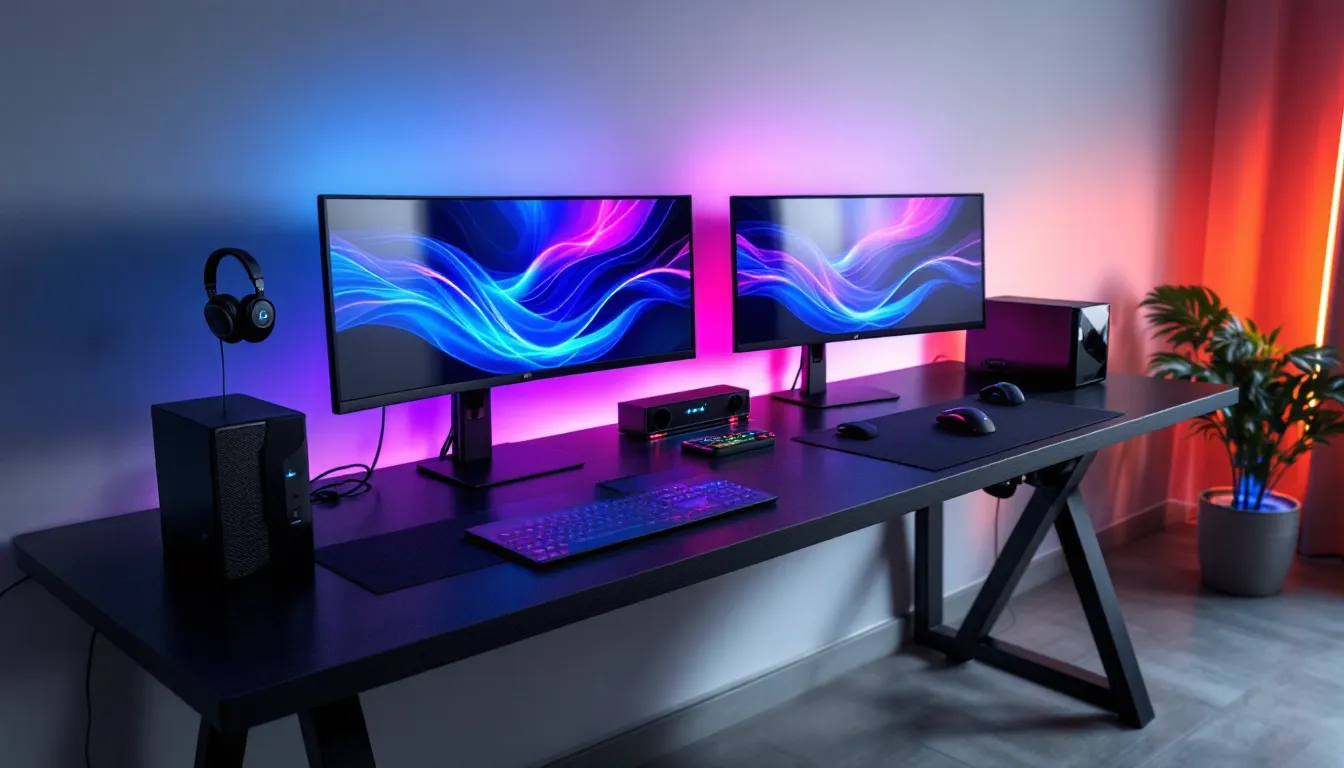

The solo gaming setup has dominated for years, but there’s a growing shift happening in 2026, gamers are pairing up. Whether it’s couples grinding through co-op campaigns, siblings competing in ranked matches, or roommates streaming side-by-side, the two person gaming desk has become the centerpiece of shared gaming spaces. But finding the right desk isn’t just about squeezing two chairs around a bigger surface. It’s about cable management that doesn’t turn into spaghetti, weight capacity that can handle dual PC rigs without sagging, and enough real estate so you’re not elbow-checking your partner during clutch moments.
This guide cuts through the marketing noise and delivers exactly what you need to know: dimensions that actually work, configuration types that fit different room layouts, materials that won’t warp under monitor arms, and budget tiers that make sense for your gaming habits. No filler, just the data and insights you need to choose a desk that’ll survive thousands of hours of gaming without falling apart or cramping your style.
Key Takeaways
- A two person gaming desk requires minimum dimensions of 78 inches width and 24 inches depth, with 30 inches depth being the ideal sweet spot to prevent eye strain and accommodate dual setups comfortably.
- Proper cable management with multiple grommet holes, under-desk trays, and power management integration is essential for dual gaming rigs that generate 30+ cables and prevent fire hazards.
- Two person gaming desks need a weight capacity of 200+ lbs minimum, but 300-400 lbs is recommended for dual PC setups with multiple monitors and monitor arms without sagging or wobbling.
- Mid-range desks ($400-800) offer the best value for serious gamers, providing reinforced steel frames, integrated cable management, and 5-7 years of durability for typical gaming loads.
- Side-by-side configurations maximize wall space efficiency and are ideal for streaming duos, while L-shaped setups provide natural privacy and work better in square rooms with different gaming preferences.
- Prioritize structural stability and adequate dimensions over cosmetic features like RGB lighting or cup holders, as frame construction, leg diameter, and cross-bracing directly impact performance during intense gaming sessions.
Why Gamers Are Choosing Two Person Gaming Desks
Benefits of Sharing Your Gaming Space
Shared gaming setups deliver practical advantages that solo desks can’t match. Cost efficiency sits at the top, splitting the price of a quality two person desk immediately cuts individual investment in half compared to buying two separate gaming desks. Beyond the wallet, space optimization becomes critical in apartments and smaller rooms where fitting two individual desks would eat up precious floor space or create awkward traffic patterns.
The real-time communication factor changes how games feel. Voice chat works, sure, but sitting next to your duo partner during ranked matches eliminates audio delay and lets you react to visual cues faster. Glance over, see their screen position, make the call. It’s especially powerful for competitive games like Valorant or League where milliseconds and micro-coordination define outcomes.
There’s also the practical angle of shared peripherals and resources. One high-quality microphone setup for streaming? Both players benefit. Premium RGB lighting system? Covers both stations. Extra monitors for Discord, game guides, or stream management can be positioned centrally and accessed by either gamer without duplicating hardware costs.
Building Stronger Gaming Communities at Home
Local multiplayer isn’t dead, it’s evolving. Two person gaming desks create dedicated spaces for co-op campaigns, versus matches, and collaborative streaming that feel intentional rather than improvised. Instead of one person gaming while the other watches from the couch, both players get equal setup quality and engagement.
For couples and roommates, shared gaming time becomes a structured activity rather than a point of conflict over limited gaming space. When both setups are equally equipped and comfortable, there’s no argument over who gets the “good desk” or the better monitor position. It legitimizes gaming as a shared hobby rather than something one person dominates.
Streaming duos and content creator teams particularly benefit from synchronized setups. Recording podcast-style gaming content, running co-commentary streams, or managing collaborative YouTube channels becomes drastically simpler when both creators share workspace, lighting conditions, and cable infrastructure. The consistency in background, audio quality, and visual presentation that comes from identical desk positioning makes editing and production significantly cleaner.
Key Features to Look for in a Two Person Gaming Desk
Size and Dimensions That Actually Work
Minimum viable dimensions for a two person gaming desk start at 78 inches (198 cm) width and 24 inches (61 cm) depth. Anything smaller and you’re fighting for mouse space during intensive FPS sessions. Most gamers need at least 39 inches of personal width to comfortably fit a 27-inch monitor, keyboard, mouse pad, and have room for arm movement without collision.
Depth matters more than most buyers realize. 30 inches (76 cm) is the sweet spot for depth, it provides proper viewing distance from monitors (typically 20-40 inches depending on screen size) and leaves front-edge space for controllers, drinks, or phones without pushing peripherals backward. Shallow desks under 24 inches force monitors too close, causing eye strain during extended sessions.
For dual monitor setups per person (four total monitors), bump minimum width to 94 inches (239 cm). Trying to cram four 24-inch monitors onto a standard 78-inch desk creates overlap and horrible viewing angles on the outer screens. Height matters too, look for adjustable height options ranging from 28-32 inches, or standard fixed heights around 30 inches that pair well with ergonomic gaming chairs.
Cable Management Solutions for Dual Setups
Dual gaming rigs mean double the cables: two PCs, two sets of peripherals, four to six monitors, speakers, capture cards, charging cables for controllers and headsets. Without proper cable management, you’re looking at 30+ cables creating a fire hazard and making cleaning impossible.
Built-in cable management trays running the length of the desk are non-negotiable. The best systems include multiple grommet holes (minimum four for two person setups) positioned strategically, typically two per gaming station, placed near the rear corners to route monitor and PC cables downward. Under-desk cable trays should be metal or thick plastic to avoid sagging under weight.
Look for desks with power management integration, mounting brackets for power strips underneath the desk surface keeps outlets accessible but hidden. Some premium models include built-in USB hubs and power outlets directly in the desk surface, though these add cost and potential failure points. The flexibility to route power independently for each station matters when one person’s streaming PC draws significantly more power than a console setup.
Velcro cable ties or included cable sleeves separate amateur setups from pro-looking stations. Color-coding cables per person (one gamer uses black cables, the other uses white) simplifies troubleshooting when something disconnects mid-game.
Durability and Weight Capacity Considerations
A typical gaming setup weighs more than people expect:
- Gaming PC: 25-40 lbs
- Two monitors: 15-30 lbs
- Monitor arm: 8-15 lbs
- Peripherals and accessories: 5-10 lbs
Per person, that’s 50-95 lbs minimum. For two gamers, you need a desk rated for 200+ lbs total weight capacity at minimum. Premium desks designed for dual gaming setups typically support 300-400 lbs, accounting for heavy PCs, multiple monitors, and the dynamic forces from mouse movement and desk impacts (slamming desk during frustrating losses happens).
Frame construction determines longevity more than surface material. Steel frames with powder coating resist wobble and corrosion. Look for frames with cross-bracing or center support legs on desks over 78 inches wide, without them, the center sag becomes noticeable within months under constant weight.
Leg diameter and wall thickness matter for stability. Premium desk legs use 2-inch diameter steel tubing with minimum 1mm wall thickness. Cheaper desks use thinner materials or hollow construction that starts wobbling after a few months. If the desk doesn’t list frame specifications, that’s usually a red flag for budget materials.
Ergonomic Design for Extended Gaming Sessions
Poor ergonomics don’t show up in the first hour, they reveal themselves around hour three when your wrist starts aching or your neck gets stiff. Rounded desk edges (also called chamfered or beveled edges) prevent the hard pressure points that dig into forearms during long sessions. Sharp 90-degree edges create discomfort and restrict blood flow during extended keyboard and mouse use.
Height adjustability transforms a desk from “okay” to perfect for different body types. Electric standing desks for two people exist but add significant cost ($600-1200 premium). Manual crank adjustable desks offer a middle ground ($200-400 premium). If budget forces a fixed-height desk, ensure it matches standard ergonomic height (28-30 inches) and plan to adjust chair height and monitor arms instead.
Leg room underneath often gets ignored until you’re sitting there. Desks with center support beams or low-hanging cable trays can restrict leg positioning. Minimum 24-inch clearance height underneath the desk surface and at least 20 inches of unobstructed width per person prevents the cramped feeling that leads to poor posture. Cross your legs, stretch them out, shift positions, ergonomic design means accommodation for natural movement, not forcing your body into fixed positions.
Different Types of Two Person Gaming Desk Configurations
Side-by-Side Gaming Desks
The side-by-side configuration is the standard, one long desk with two gaming stations positioned next to each other, both users facing the same direction. This layout maximizes wall space usage and works best in rectangular rooms where the desk backs against a wall.
Pros:
- Simplest cable management since both setups pull power from the same wall
- Easy communication without turning chairs
- Efficient use of linear wall space
- Best for streaming duos who want matching backgrounds
Cons:
- Requires significant linear wall space (8+ feet)
- Screen privacy is nonexistent, both gamers see each other’s displays
- Can feel cramped if desk depth is insufficient
- Challenging in rooms with off-center windows or doors
This configuration dominates in streaming setups and content creation spaces where visual consistency matters. It’s also the go-to for competitive duos practicing together since both players can quickly reference each other’s screens for coaching or analysis.
L-Shaped and Corner Gaming Desks
L-shaped configurations position two gaming stations at a 90-degree angle, typically meeting at a corner. One gamer faces one wall, the second faces a perpendicular wall. This setup excels in square rooms or spaces with corner availability.
Pros:
- Maximizes corner space that’s often wasted
- Provides natural privacy, screens aren’t in direct line of sight
- Each station gets dedicated wall space for posters, shelving, or acoustic panels
- Better for different gaming schedules (one person can game while the other sleeps without direct monitor glare)
Cons:
- Communication requires turning chairs 90 degrees
- Cable management becomes more complex routing to two different walls
- Usually requires more total floor space than side-by-side
- Harder to maintain matching lighting setups
L-shaped desks work brilliantly when gamers have different preferences, one plays in darker environments, the other prefers bright RGB. The perpendicular positioning naturally separates atmospheres. Many L-shaped gaming desks can accommodate different hardware setups per person (PC + console split, or PC gaming + work station hybrid).
Face-to-Face Gaming Desk Setups
The face-to-face configuration positions gamers opposite each other, like a traditional office desk for two. Both setups back-to-back with users facing opposite walls, or truly face-to-face with a wider desk between them.
Pros:
- Excellent for competitive practice, perfect for fighting game players or 1v1 training
- Natural conversation positioning
- Complete screen privacy
- Can create “command center” feel with shared central space for snacks, controllers, or reference materials
Cons:
- Requires room center space, can’t use walls effectively
- More complex cable routing to opposite walls or requires central power management
- Takes up more perceived space even if actual footprint is similar
- Back-to-back variant eliminates face-to-face communication benefits
This layout shows up most often in competitive households where players regularly face off in fighting games, sports games, or practice 1v1s. It’s rare in streaming setups because matching backgrounds become impossible, but it’s unbeatable for that LAN party energy in a permanent setup.
Setting Up Your Two Person Gaming Station
Space Planning and Room Layout Tips
Measure twice, buy once. Minimum room dimensions for a comfortable two person gaming setup start at 10×10 feet for side-by-side configurations. This allows the desk (roughly 8 feet), plus 2-3 feet behind the chairs for comfortable seating and movement. L-shaped setups need similar floor space but different room geometry, roughly 9×9 feet minimum in the corner, with at least 3 feet of clearance behind each chair.
Account for chair movement. Gaming chairs on wheels need 24-30 inches of clearback from the desk edge to push back and stand up comfortably. Multiply that by two people and suddenly that compact room feels cramped. Map out traffic flow, can someone walk behind the chairs to access a closet or window without disrupting gameplay?
Consider door swing patterns and room entry points. Positioning the desk so both gamers face the door reduces the startle factor when someone enters (critical for horror games and clutch ranked moments). If your room has windows, plan desk positioning to avoid direct sunlight hitting screens during typical gaming hours, glare kills visibility and causes eye strain.
Climate control proximity matters more in gaming rooms than regular rooms. Two gaming PCs, multiple monitors, and possibly streaming lights generate serious heat. Position desks where AC vents can circulate air effectively, and avoid blocking heating registers in winter. Some serious setups in warmer climates place desks strategically to allow for supplemental fans or portable AC units without cable interference.
Monitor Placement and Viewing Angles
Proper monitor positioning prevents neck strain and ensures optimal visibility during competitive moments. Each monitor should sit at arm’s length distance (approximately 20-30 inches from the user’s seated position). The top of the monitor should align roughly at or slightly below eye level, this prevents the upward neck tilt that causes strain during extended sessions.
For dual monitor setups per person, the primary gaming monitor (usually the higher refresh rate display) should be directly centered in front of the user. The secondary monitor sits at a 15-30 degree angle to the side, used for Discord, guides, or stream management. Avoid angles beyond 30 degrees, constantly turning your head that far creates neck fatigue.
Monitor arms provide superior adjustability compared to stock stands, but weight capacity becomes critical with modern gaming monitors. A 27-inch gaming monitor weighs 12-18 lbs: 32-inch ultrawides reach 20+ lbs. Ensure monitor arms support at least 20 lbs per monitor with VESA compatibility matching your displays (typically 75x75mm or 100x100mm).
Vertical monitor positioning (portrait mode) for secondary displays gains popularity for Discord, Twitch chat, or Twitter feeds. If going this route, ensure the monitor arm supports rotation and that your graphics card drivers handle mixed orientation setups cleanly. Some gamers experience micro-stutters or weird resolution scaling when mixing portrait and landscape modes.
Power and Connectivity Requirements
Two complete gaming setups demand serious power infrastructure. At minimum, expect:
Power requirements per station:
- Gaming PC: 400-850W (depends on GPU)
- Two monitors: 60-100W total
- Peripherals and charging: 30-50W
- Streaming lights or accessories: 20-40W
Total per person: 510-1040W peak draw
For two people, that’s potentially over 2000W combined. Most standard home circuits provide 15-amp service (1800W at 120V). Running both high-end gaming PCs at full load plus monitors and accessories can trip breakers if they share a circuit with other devices.
Dedicated circuit installation is worth considering for serious setups, a 20-amp circuit (2400W capacity) provides headroom for dual gaming rigs without power concerns. This typically costs $200-400 from an electrician but eliminates the frustration of mid-game power loss.
If dedicated circuits aren’t feasible, verify your gaming room has outlets on separate circuits and split the load, one gaming station per circuit. You can test this by turning on a vacuum cleaner in the gaming room and seeing which other outlets lose power (same circuit). Distribute power strips accordingly.
Networking infrastructure needs planning too. Hardwired ethernet beats Wi-Fi for latency and stability, ensure your router location allows for cable routing to both gaming stations, or plan for a network switch under the desk. Quality Cat6 or Cat7 ethernet cables handle modern multi-gigabit speeds: Cat5e works but limits future upgrade paths. Those serious about gaming hardware benchmarks know that even minor latency gains from wired connections provide competitive advantages.
Best Materials and Build Quality for Gaming Desks
Wood vs. Metal vs. Composite Materials
Solid wood desktops offer premium aesthetics and durability but add significant weight and cost. Hardwoods like oak, walnut, or maple provide excellent longevity and can support heavy loads without warping. Thickness matters, minimum 1-inch thick solid wood tops for gaming desks supporting multiple monitors and PCs. Expect to pay $400-1200 for quality solid wood gaming desks at two-person dimensions.
Downsides include vulnerability to moisture damage (drink spills need immediate cleanup), susceptibility to scratches without protective finishes, and thermal properties that can feel cold in winter. Wood also requires occasional maintenance, re-oiling or refinishing every few years depending on finish type.
Metal desktops (typically steel or aluminum) provide maximum durability and industrial aesthetics that fit certain gaming room themes. They’re virtually indestructible, handle heat from equipment well, and support extreme weight. But, metal surfaces can be loud, keyboard typing, mouse clicks, and objects placed on the desk create more noise than wood or composite surfaces. Metal also conducts temperature, feeling cold to the touch and potentially uncomfortable during long sessions without mouse pads or desk mats.
Composite materials, engineered wood like MDF (medium-density fiberboard), particleboard, or plywood, dominate the budget to mid-range gaming desk market. Quality varies dramatically based on density and thickness. Premium composites use high-density MDF with melamine or laminate surfaces that resist scratches and moisture. Look for minimum 18mm thickness (roughly 3/4 inch): thinner composites sag under weight.
The best value often comes from engineered wood cores with laminate or PVC surfaces. These combine stability, moisture resistance, and weight capacity at reasonable prices ($250-600 for two-person sizes). The laminate surface protects against scratches and spills while the engineered core provides structural strength.
Surface Finishes That Withstand Heavy Use
Carbon fiber texture laminates have become standard in gaming desks, they hide minor scratches, provide slight texture that prevents peripherals from sliding, and look aggressive without being obnoxious. These finishes typically use PVC or melamine layered over MDF or plywood cores. Durability is excellent for normal gaming use but can show wear at high-friction areas (mouse movement zones) after 2-3 years of intensive use.
Powder-coated metal frames beat paint for longevity. Powder coating creates a harder, more chip-resistant finish that handles impacts and scratches better than traditional paint. Quality powder coating also resists moisture and won’t rust from humid gaming rooms or occasional drink spills that drip to the frame.
Matte vs. glossy finishes impacts both aesthetics and function. Glossy finishes photograph well and look premium but show every fingerprint, dust particle, and scratch. They also create glare from overhead lights or windows. Matte finishes hide minor imperfections, don’t show fingerprints, and eliminate glare issues, they’re the practical choice for gaming desks.
UV-resistant coatings matter for desks positioned near windows. Standard laminates can fade or discolor over years of sun exposure. UV-resistant finishes add minimal cost but preserve appearance long-term. If your gaming room gets significant natural light, verify the desk finish includes UV protection or plan for window treatments.
Budget Considerations: Finding Value Without Sacrificing Quality
Entry-Level Options for Casual Gamers
Budget range: $200-400
Entry-level two person gaming desks use MDF or particleboard construction with basic metal frames. At this price point, expect some compromises:
- Basic cable management (few or no grommets, minimal under-desk organization)
- Lower weight capacity (150-200 lbs total)
- Simpler aesthetics (usually black or basic wood tones)
- DIY assembly required (1-2 hours, sometimes frustrating)
- Limited or no height adjustability
Even though limitations, quality entry-level options exist. Look for desks with at least 78-inch width and 24-inch depth. Prioritize sturdy frames over fancy features, a simple desk with solid construction beats a feature-loaded desk with wobbly legs.
Best for: Console gamers with lighter setups, students sharing study/gaming space, casual gamers who play a few hours weekly, or temporary setups (rental apartments, transitional living situations). If both gamers primarily use laptops or lightweight setups without desktop PCs, entry-level desks handle the load fine.
Durability expectations: 2-4 years with moderate use before wobble or surface wear becomes noticeable. Not built for daily 8+ hour sessions or heavy equipment.
Mid-Range Desks for Serious Gamers
Budget range: $400-800
This tier offers the best value for most dedicated gamers. Mid-range desks use higher-density engineered wood or solid wood tops with reinforced steel frames. Expect significant quality improvements:
- Integrated cable management trays and multiple grommets
- 250-350 lb weight capacity
- Better aesthetics with multiple finish options
- Reinforced frames with cross-bracing for stability
- Some models offer manual height adjustment
- Improved assembly design with clearer instructions
At this price point, desks start including gamer-specific features: RGB strip mounting channels, controller hooks, headset hangers, and cup holders. Evaluate which features actually benefit your setup versus marketing gimmicks. Studies on proper gaming setup configurations emphasize that core build quality matters more than accessory features.
Best for: PC gamers with full desktop rigs, dual monitor setups per person, streamers with moderate equipment, or serious hobbyists who game 10-20+ hours weekly. This range handles typical gaming loads without issues and provides enough durability for 5-7 years of regular use.
Most gamers should target this tier, the quality jump from entry-level is massive, while the price remains reasonable for equipment that sees daily use.
Premium Gaming Desks for Esports and Streamers
Budget range: $800-2000+
Premium two person gaming desks target professional or semi-professional gamers, serious streamers, and content creators who demand zero compromises. Materials and construction reach furniture-grade quality:
- Solid hardwood or premium composite tops with high-end finishes
- Commercial-grade steel frames rated 400+ lbs
- Electric height adjustment with memory presets
- Advanced cable management with built-in power and USB hubs
- Modular designs allowing configuration changes
- Premium aesthetics (custom colors, real wood veneers, designer options)
- Extended warranties (3-5 years typical)
Some premium models include tech integration: wireless charging pads built into the surface, smart RGB systems synced to games, or motorized monitor lifts. Whether these features justify the cost depends on individual priorities.
Best for: Full-time streamers who need professional appearance and reliability, esports teams practicing together, content creators with heavy equipment (multi-camera setups, production equipment), or gamers with premium everything who want a desk matching their high-end PCs and peripherals.
Expected longevity: 10+ years with proper care. Premium desks often become permanent room fixtures rather than disposable furniture. Many professional gaming equipment configurations emphasize that desk stability impacts performance, micro-wobbles during intense mouse movements can affect aim in competitive shooters.
The price jump to premium feels steep, but calculate cost per year of use and the value proposition improves for heavy users. A $1200 desk used 40+ hours weekly for 10 years costs about $2.30 per week, less than one month of most gaming subscriptions.
Essential Accessories to Enhance Your Dual Gaming Setup
Dual Monitor Mounts and Stands
Standard monitor stands waste desk space and limit adjustability. Monitor arms reclaim 4-6 inches of desk depth per monitor by mounting displays off the surface. For a two person setup with four monitors total, that’s over a square foot of recovered workspace for keyboards, controllers, or simply cleaner aesthetics.
Key specifications for monitor arms:
- Weight capacity: 15-25 lbs per arm (verify against your specific monitor weight)
- VESA compatibility: 75x75mm and 100x100mm (standard for most gaming monitors)
- Adjustment range: Minimum 13-inch height adjustment, 180-degree rotation, ±30-degree tilt
- Arm reach: 15-20 inches for proper depth positioning
Dual monitor arms (supporting two monitors on one mount) cost $80-250 depending on build quality and adjustment features. Gas spring mechanisms provide smooth, tool-free adjustments: friction-based systems are cheaper but require manual tightening. For four monitors (two per person), expect to invest $160-500 total.
Mounting options include clamp-mount (attaches to desk edge) or grommet-mount (bolts through desk holes). Clamp mounts work with any desk but can’t be positioned more than a few inches from the desk edge. Grommet mounts provide more positioning flexibility but require drilling if your desk doesn’t include mounting holes.
RGB Lighting and Ambiance Enhancements
Bias lighting reduces eye strain during extended gaming in dark rooms by providing soft backlighting that reduces the contrast between bright screens and dark surroundings. RGB LED strips mounted to the desk underside or rear provide both function and aesthetics.
LED strip specifications that matter:
- Brightness: 300-600 lumens per meter for bias lighting (too bright defeats the purpose)
- Color accuracy: RGB+W (white) chips provide better true white than RGB alone
- Control: WLED controllers or smart home integration (Hue, WLED) beat basic remotes for scene programming
- Adhesive quality: 3M backing ensures strips stay mounted: cheap adhesive fails within months
Cost ranges from $15-80 for basic LED strips to $150-300 for premium smart lighting systems with game synchronization (Nanoleaf, Philips Hue Play). The synchronization features look impressive but provide minimal practical benefit, most gamers disable reactive lighting after the novelty wears off because it’s distracting during competitive play.
For shared setups, independently controllable zones matter. Each gamer should control their station’s lighting without affecting their partner’s preferences. Look for systems supporting multiple zones or use separate controllers per person.
Storage Solutions for Controllers and Peripherals
Two gaming setups mean double the peripherals: controllers, headsets, spare mice, cables, charging docks, and random gaming accessories. Without organization, this stuff clutters the desk or piles up on the floor.
Essential storage accessories:
Headset stands/hangers ($15-40): Under-desk hooks or desktop stands keep headsets accessible without tangling cables. Dual stands for a two person setup prevent the “whose headset is this” confusion.
Controller charging stations ($25-50 per person): Eliminate scattered controllers and dying batteries mid-game. Dedicated charging docks for Xbox, PlayStation, or Switch controllers keep everything powered and organized.
Desk drawer units ($60-150): Rolling drawer units that fit under the desk provide bulk storage for cables, spare peripherals, game cases, and accessories. Shared setups benefit from one unit per person to avoid storage territory disputes.
Pegboard or magnetic panels ($30-80): Wall-mounted organization above or beside the desk holds frequently used items, controllers, cables, or tools. Customizable and expandable as gear collection grows.
Cable boxes ($15-30): Hide power strips and excess cable length in ventilated boxes under the desk. Keeps the setup looking clean and prevents cable tangles that complicate future changes.
Organization seems minor compared to the desk itself, but poor accessory storage creates daily frustration and makes the entire setup feel messy regardless of desk quality.
Common Mistakes to Avoid When Buying a Two Person Gaming Desk
Underestimating space requirements. Gamers regularly buy desks that technically fit their room dimensions but don’t account for chair movement, traffic flow, or door clearance. Measure the room, subtract 3 feet behind each chair for movement, and verify the remaining space comfortably fits the desk. If it’s close, it’s too small.
Ignoring weight capacity ratings. Marketing photos show pristine setups with single monitors and laptops. Real gaming setups stack dual PCs, multiple monitors, monitor arms, speakers, and equipment. If your combined gear approaches the stated weight limit, that desk will sag within months. Always buy 50-100 lbs above your calculated equipment weight.
Prioritizing features over structural quality. RGB strips, cup holders, and cable grommets mean nothing if the desk wobbles during intense mouse movements. Examine frame construction, leg diameter, and cross-bracing before getting excited about accessory features. A stable desk with basic features beats a feature-loaded wobbly desk every time.
Forgetting about cable management. The least exciting desk feature becomes the most important after setup. Desks without grommets or cable trays turn into wire nightmares within days. Future you will curse past you for saving $50 on a desk without proper cable routing.
Buying too narrow or too shallow. The absolute minimum viable dimensions are 78×24 inches for two people. Less than that creates constant territory disputes and cramped gaming sessions. If budget forces choosing between a basic larger desk or a feature-filled smaller desk, size wins. You can add accessories: you can’t add desk space.
Skipping assembly reviews. Some gaming desks ship with vague instructions, missing hardware, or poorly engineered assembly processes that take 3-4 hours and generate massive frustration. Check reviews specifically mentioning assembly difficulty before buying. Life’s too short for bad furniture instructions.
Overlooking return policies and warranties. Gaming desks ship in huge boxes: most can’t be returned once assembled. Verify return windows and warranty coverage before purchase. Reputable manufacturers offer 1-3 year warranties on structural components. No warranty signals low confidence in product durability.
Mismatching desk height to chairs. Standard desk height is 28-30 inches. If both gamers use existing chairs, verify those chairs adjust to proper ergonomic height for the chosen desk. Buying a new desk without considering chair compatibility creates comfort issues that require buying new chairs too.
Falling for fake specifications. Some sellers list inflated weight capacities or exaggerate material quality. Cross-reference specifications across multiple sources and check user reviews mentioning actual durability. If a $200 desk claims 400 lb capacity while similar desks rate 200 lbs, someone’s lying.
Not planning for future upgrades. Gaming setups evolve, monitors get bigger, PCs get upgraded, streaming equipment gets added. Buy a desk with headroom for growth. That 78-inch desk feels perfect for current setups but becomes cramped when both gamers eventually upgrade to 32-inch monitors or add third displays.
Conclusion
Choosing the right two person gaming desk comes down to matching specifications to actual use cases rather than chasing features or brand names. Size matters first, minimum 78×24 inches, preferably 84-96×30 inches if room space allows. Structural quality beats aesthetics, stable frames, adequate weight capacity, and proper cable management deliver more value than RGB strips or cup holders.
Budget tiers exist for good reasons. Entry-level desks handle casual gaming and lighter equipment: mid-range options provide the sweet spot for most serious PC gamers: premium desks justify their cost for professional streamers and competitive players who demand zero compromises. The right tier depends on equipment weight, usage hours, and longevity expectations.
Configuration choice, side-by-side, L-shaped, or face-to-face, should match room geometry and how gamers interact. Don’t force a layout that fights against your room’s natural space flow. Ergonomics determine whether a desk remains comfortable after hundreds of gaming hours or causes chronic pain. Rounded edges, proper height, adequate leg room, and monitor positioning aren’t luxuries, they’re requirements.
The best desk disappears during use. It’s stable enough that mouse movements don’t create wobble, spacious enough that territorial disputes never happen, and well-organized enough that cable management stays clean. It should support your gear reliably for years while adapting to inevitable upgrades and changes in your gaming setup. Get the fundamentals right and the rest follows.