
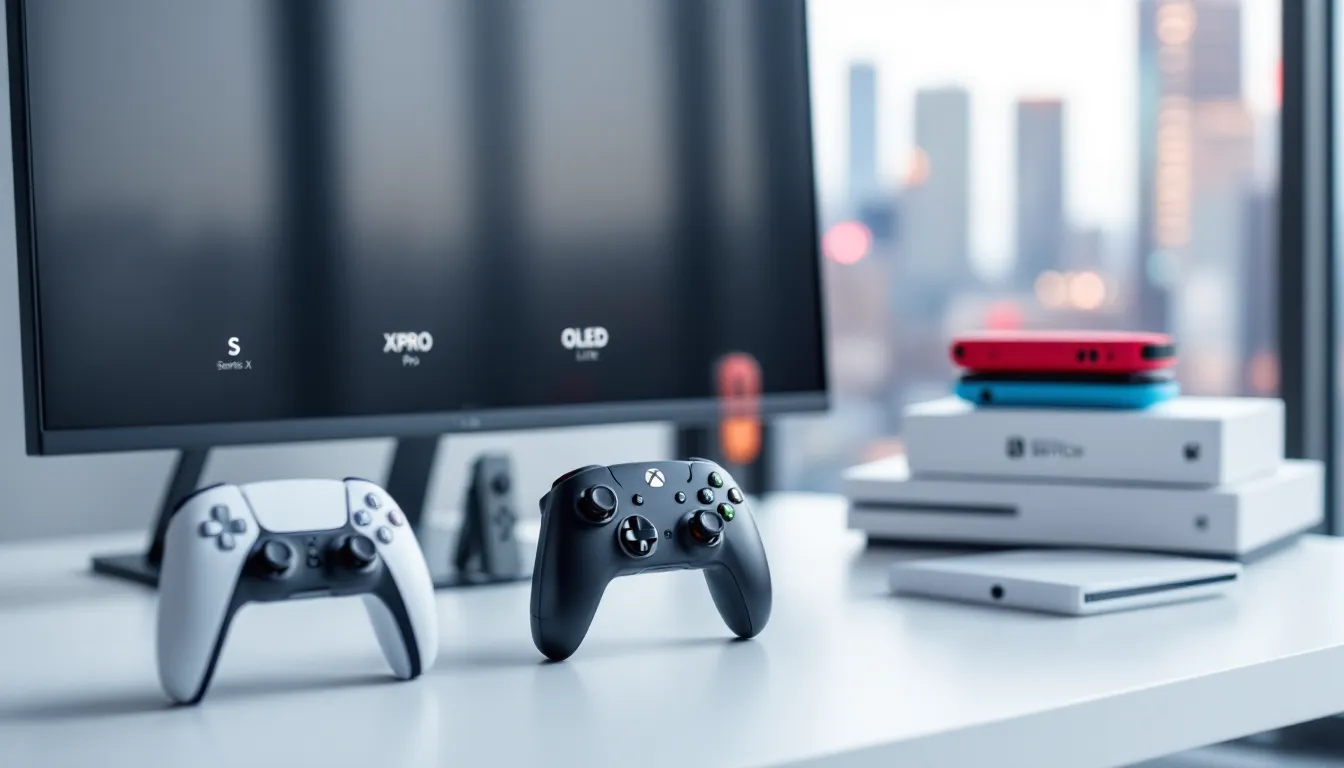

Gaming console names have gotten confusing. What started as simple numbers, PlayStation 2, Xbox 360, has morphed into a cryptic alphabet soup of letters and designations that leave even seasoned gamers scratching their heads. Is the Xbox Series S better than the Series X? What does the “Pro” in PS4 Pro actually mean? And why does Nintendo slap “Lite” and “OLED” on its Switch lineup?
Understanding these letters isn’t just trivia, it’s essential for making smart purchasing decisions, knowing what hardware you’re getting, and avoiding buyer’s remorse. Each letter designation signals specific hardware differences, performance tiers, and features that directly impact your gaming experience. This guide breaks down every major console letter system from 2026 backward through gaming history, so you’ll know exactly what you’re buying next time you’re standing in a store or scrolling through an online checkout.
Key Takeaways
- Gaming console letters signal specific hardware differences, performance tiers, and features that directly impact your gaming experience and purchasing decision.
- The Xbox Series X targets 4K gaming at 60+ FPS, while the Series S aims for 1440p with dynamic scaling, representing a massive performance and price gap between letter variants.
- The PS5 Standard and Digital Edition have identical performance; the key difference is disc playback capability, making your choice dependent on physical media preferences and backward compatibility needs.
- Nintendo’s letter approach prioritizes choice and form factor over performance hierarchy—the Switch OLED offers a superior screen for the same processing power as the standard Switch.
- Letter designations like ‘Pro,’ ‘X,’ ‘Slim,’ and ‘Lite’ have shifted meanings across generations; understand each console family’s specific coding to avoid misconceptions about performance and capabilities.
- Before purchasing, factor in total cost of ownership including storage expansion, digital library resale value, and your display’s capabilities to determine which console letter variant delivers true value.
What Are Gaming Console Letters and Why Do They Matter?
Gaming console letters are the suffixes, prefixes, and model designations manufacturers attach to their hardware to distinguish between different variants of the same generation. They’re not random, each letter communicates something specific about the hardware inside, the features available, or the target market.
Think of them as shorthand for “what makes this version different.” The Xbox Series X versus Series S distinction, for example, signals a massive performance gap: the X targets 4K gaming at 60+ FPS, while the S aims for 1440p at lower settings. Similarly, the PS5 Digital Edition tells you immediately that you’re sacrificing the disc drive for a lower price point.
These letters matter because they directly affect what games you can play, how they’ll perform, and how much you’ll spend. Buying the wrong variant can mean disappointing frame rates, missing features, or paying for hardware you don’t need. Gamers who ignore these designations often end up with mismatched expectations, like the player who buys a Switch Lite expecting TV output, only to discover it’s handheld-only.
Beyond pure specs, console letters also serve a marketing function. They help manufacturers segment their audience: budget gamers get the “S” or “Lite” models, enthusiasts get the “Pro” or “X” versions, and everyone in between can choose based on their priorities. It’s a way to offer multiple price points without fragmenting the player base or requiring developers to build for entirely separate platforms.
The Evolution of Console Naming Conventions
From Numbers to Letters: A Brief History
Early console naming was refreshingly simple. The Atari 2600, Nintendo Entertainment System (NES), and Sega Genesis used straightforward names or model numbers that didn’t require a decoder ring. When Sony entered the market with the PlayStation in 1994, they kicked off a numerical naming tradition that carried through PS2, PS3, and PS4.
But somewhere around the seventh console generation (mid-2000s), things got complicated. Microsoft launched the Xbox 360, skipping straight from “Xbox” to “360” to avoid sounding a generation behind the PlayStation 3. Then they introduced mid-generation refreshes: the Xbox 360 Elite, Xbox 360 Arcade, and Xbox 360 S (Slim). These variants marked the beginning of letters as performance and feature indicators rather than just generation markers.
The PS3 era saw similar fragmentation with PS3 Slim and PS3 Super Slim models, each with different hard drive capacities and minor hardware revisions. By the PS4 generation, Sony fully embraced the letter game with the PS4 Pro, the first mid-gen “premium” upgrade that offered genuine performance improvements rather than just a smaller form factor.
Nintendo, meanwhile, has always marched to its own beat. Their handheld line used letters extensively: Game Boy Advance (GBA), Game Boy Advance SP, Nintendo DS, Nintendo DSi, Nintendo 3DS, and 3DS XL. Each letter combo signaled specific features, the “SP” added a backlit screen and clamshell design, while “XL” simply meant bigger screens.
How Manufacturers Use Letters to Signal Innovation
Today’s console letters serve three primary functions: differentiating hardware tiers, indicating form factor changes, and signaling feature additions or subtractions.
Hardware tiers are the most common use case. The Xbox Series X
|
S naming explicitly positions the X as premium and S as budget. The PS5 Standard versus Digital Edition does the same, though Sony chose to emphasize the feature difference (disc drive) rather than pure performance.
Form factor letters like “Slim” or “Lite” tell you about physical size and portability. The Nintendo Switch Lite sacrifices TV output and detachable Joy-Cons for a smaller, cheaper handheld-only experience. The PS4 Slim kept the same performance as the base PS4 but shrank the chassis and reduced power consumption.
Feature indicators like “Pro,” “OLED,” or “Digital” communicate specific upgrades or omissions. The Switch OLED added a better screen, improved audio, and more storage while keeping the same processing power. The “Pro” designation, used by Sony and once by Microsoft, signals enhanced GPU power for higher resolutions and frame rates.
Manufacturers also use letters to refresh their lineup without abandoning a successful brand. Instead of jumping to “PS6” mid-cycle, Sony released the PS4 Pro to keep the PS4 brand alive while competing with the Xbox One X’s 4K capabilities. It’s a way to extend a generation’s lifespan and capture enthusiasts willing to upgrade without confusing the mainstream market.
PlayStation Console Letters Explained
PS5 Variants: Standard vs. Digital Edition
The PS5 launched in November 2020 with two distinct models that share identical internal hardware but differ in one critical way: the disc drive. The PS5 Standard Edition includes an Ultra HD Blu-ray drive that plays physical PS5 and PS4 games, 4K Blu-ray movies, and DVDs. The PS5 Digital Edition strips out the optical drive entirely, relying exclusively on digital downloads from the PlayStation Store.
Performance is identical between the two. Both pack the same custom AMD RDNA 2 GPU capable of 10.28 teraflops, the same Zen 2 CPU running at variable frequencies up to 3.5 GHz, and the same ultra-fast 825GB SSD. Frame rates, load times, ray tracing, and every other technical metric perform exactly the same way.
The Digital Edition launched at $399 compared to the Standard’s $499, a $100 savings that appealed to gamers who’d already gone fully digital or planned to. But, you sacrifice the ability to buy used games, trade in titles, or play your existing physical PS4 library. Over the console’s lifespan, that trade-off can swing either way depending on your buying habits.
Sony quietly updated both models in 2023 with slightly revised internals (labeled CFI-1200 series) that reduced weight and improved cooling efficiency, but these changes didn’t warrant new letter designations. Then in late 2023, they introduced the PS5 Slim models, about 30% smaller in volume and with detachable disc drives, allowing Digital Edition owners to add the drive later. These newer models also bumped storage to 1TB, addressing one of the original PS5’s biggest complaints.
Understanding PS4 Pro, PS4 Slim, and Legacy Models
The PS4 Pro launched in November 2016 as Sony’s answer to 4K gaming. It packed a significantly upgraded GPU, 4.20 teraflops compared to the base PS4’s 1.84, and additional system memory bandwidth. Games could leverage this power for native 4K rendering, enhanced 1080p visuals with better textures and effects, or higher frame rates in select titles.
The Pro wasn’t a generational leap, it played the same games as the base PS4, and developers were required to ensure all games ran on both models. But for gamers with 4K TVs, the difference was noticeable in titles like Horizon Zero Dawn, God of War, and Spider-Man, which offered dedicated Pro modes.
The PS4 Slim, released simultaneously with the Pro, replaced the original PS4 as the budget option. It maintained the same 1.84 teraflop GPU and performance profile but shrank the console by roughly 30%, reduced power draw, and refined the industrial design with rounded corners. At $299, it became the entry point for the PlayStation ecosystem while the Pro commanded a $399 price tag.
Earlier PS4 revisions like the CUH-1200 series (2015) improved power efficiency and reduced weight compared to the launch model (CUH-1000) but didn’t receive official letter designations. Sony reserved the “Slim” and “Pro” monikers for models that represented clear marketing distinctions rather than incremental hardware tweaks.
Xbox Console Letters and Model Designations
Xbox Series X vs. Series S: Breaking Down the Letters
Microsoft’s current-gen naming scheme is simultaneously clever and confusing. The Xbox Series X and Xbox Series S launched together in November 2020, representing a clear high/low performance split, but the “Series” branding suggests they’re variations of the same console, which isn’t quite accurate.
The Series X is the flagship: 12 teraflops of GPU power, native 4K gaming with targets of 60 FPS (and 120 FPS in supported titles), 16GB of GDDR6 RAM, and a 1TB NVMe SSD. It’s a beast designed to maximize visual fidelity on large 4K displays, and many outlets covering Xbox hardware performance have consistently ranked it as one of the most powerful consoles ever made.
The Series S, meanwhile, targets 1440p resolution with upscaling to 4K. It packs a significantly weaker GPU at 4 teraflops, 10GB of RAM (with only 8GB accessible to games), and a smaller 512GB SSD. It’s roughly 60% less powerful than the Series X, but it also launched at $299 versus the X’s $499, making it the cheapest entry point into current-gen gaming.
Both consoles share the same CPU architecture (custom Zen 2 cores at 3.6/3.8 GHz), the same ultra-fast SSD technology, and play the exact same game library. Developers build for both simultaneously, typically offering lower resolution, reduced texture quality, or dialed-back effects on the Series S. For competitive gamers prioritizing frame rate over fidelity, the Series S can often match the X’s 60 or 120 FPS performance in multiplayer titles.
The “X” versus “S” letters mirror Microsoft’s previous generation naming but flip the meaning: last gen, “X” meant premium and “S” meant slim/standard. This generation, “X” still means premium, but “S” means budget rather than a form factor change. Confusing? Absolutely. But once you know the code, it’s easy to decode.
Xbox One X, One S, and Previous Generation Codes
Microsoft’s Xbox One generation showcased the company’s love affair with letters and its willingness to confuse consumers in the process. The original Xbox One launched in 2013 with the model number standing alone, no letters attached.
Then came the Xbox One S in 2016. The “S” stood for “Slim,” shrinking the console by 40% and adding 4K video playback (but not 4K gaming) and HDR support. It replaced the chunky original as the standard model and introduced a sleek white design that became Xbox’s signature look. Performance remained nearly identical to the base Xbox One, though a minor GPU clock boost provided marginal improvements.
The Xbox One X arrived in 2017 as the “world’s most powerful console”, at the time, that wasn’t marketing hype. With 6 teraflops of GPU power (compared to the One S’s 1.4), it could push native 4K in many titles and significantly enhanced 1080p visuals in others. It was Microsoft’s answer to the PS4 Pro, and in most head-to-head comparisons, it delivered superior performance.
But here’s where things got messy: the “S” traditionally meant a budget/slim version, while “X” meant premium. Casual shoppers seeing “Xbox One S” and “Xbox One X” on a shelf might assume they’re similar variants rather than products with vastly different performance profiles separated by a $200 price gap. The naming convention worked for enthusiasts but left mainstream buyers baffled.
Microsoft also released special editions like the Xbox One Elite (a controller bundle, not a console variant) and later the Xbox One S All-Digital Edition, which removed the disc drive to create a lower-priced digital-only option at $249. This presaged the strategy they’d refine with the Series X
|
S split.
Nintendo’s Unique Approach to Console Letters
Switch, Switch Lite, and Switch OLED: What the Differences Mean
Nintendo’s Switch family demonstrates the company’s philosophy of offering multiple form factors for different play styles rather than straight hardware upgrades. The original Nintendo Switch launched in March 2017 with its signature hybrid design: dock it to play on your TV, or undock it for handheld gaming with detachable Joy-Con controllers.
The Switch Lite arrived in September 2019 as a handheld-only variant. At $199 (versus the standard Switch’s $299), it sacrificed TV output, removable controllers, and HD Rumble to deliver a more compact, durable, and affordable experience. The Lite features a slightly smaller 5.5-inch screen versus the original’s 6.2-inch display, integrated controls, and a lighter weight that makes it ideal for younger players or commuters.
Crucially, the Lite runs the exact same games with the same performance, it’s not a downgrade in processing power. But games requiring detached Joy-Cons (like 1-2-Switch or certain Super Mario Party modes) aren’t fully compatible without purchasing separate controllers.
The Switch OLED model launched in October 2021, adding a vibrant 7-inch OLED screen, improved audio, a better kickstand, 64GB of internal storage (double the previous 32GB), and a LAN port in the dock. What it didn’t add was more power, the Tegra X1 processor remains unchanged from the 2019 “V2” Switch revision. Performance, load times, and frame rates are identical to the standard Switch.
Nintendo’s letter strategy here prioritizes choice over hierarchy. There’s no “best” Switch, just the right one for how you play. TV gamers might prefer the OLED’s superior screen for handheld sessions but could stick with the standard model. Dedicated handheld-only players save money with the Lite. It’s a user-friendly approach that avoids the performance anxiety baked into PlayStation and Xbox’s Pro/X models.
Classic Nintendo Letter Systems: DS, 3DS, and Beyond
Nintendo’s handheld legacy is a masterclass in letter-based differentiation. The Nintendo DS (2004) introduced dual screens, that’s literally what “DS” stands for. But Nintendo didn’t stop there: the DS Lite (2006) refined the design with a smaller form factor and brighter screens. The DSi (2008) added cameras, an SD card slot, and downloadable games via the DSi Shop, while the DSi XL (2009) increased screen size for older players or those with vision difficulties.
Each letter meant something specific:
- Lite = slim, refined hardware with same performance
- i = added features (cameras, internet functionality)
- XL = larger screens, same internals
The 3DS family followed the same playbook. The base Nintendo 3DS (2011) introduced glasses-free 3D gaming. The 3DS XL (2012) expanded the screens by 90%. The 2DS (2013), technically not a letter, but a number change, removed the 3D feature and clamshell design for a budget-friendly $129 slate aimed at kids under seven.
Then came the New Nintendo 3DS and New 3DS XL (2014 in Japan, 2015 in the West), which added a second analog nub (the C-Stick), extra shoulder buttons, improved 3D tracking, and a faster processor. Some games like Xenoblade Chronicles 3D were exclusive to the “New” models, marking the first time Nintendo’s letter variants fractured game compatibility within a generation.
The 2DS XL (2017) combined the clamshell design and larger screens of the 3DS XL with the 2DS’s lack of stereoscopic 3D, creating a sweet spot for budget-conscious gamers who wanted the full 3DS library without paying for a feature they wouldn’t use. Recent coverage of Nintendo’s handheld evolution and legacy systems has highlighted how these strategic letter variations kept the 3DS family viable for over six years.
Retro Console Letters: A Nostalgic Deep Dive
Sega’s Letter Legacy: Genesis, CD, and Dreamcast Variants
Sega’s console history is a case study in aggressive iteration and confusing naming that eventually contributed to the company’s exit from hardware. The Sega Genesis (known as the Mega Drive outside North America) launched in 1988 and went through multiple revisions. The Genesis 2 (1994) featured a slimmed-down design and cost-reduction measures, while the Genesis 3 (1998), released by Majesco after Sega had moved on, was a budget-focused redesign.
The Sega CD (1991 in Japan, 1992 in North America) attached to the Genesis as an add-on, bringing CD-ROM gaming and full-motion video capabilities. It went through two hardware revisions: the original “Model 1” with a top-loading tray that the Genesis slotted into, and the “Model 2” (1993) with a more compact side-loading design. Even though impressive tech, the Sega CD suffered from a sparse library and high price ($299 at launch), limiting its impact.
The 32X (1994) was another Genesis add-on that promised 32-bit graphics but arrived awkwardly between generations, the Saturn launched in Japan the same year, cannibalizing the 32X’s potential audience. It flopped spectacularly, with only 40 games released in North America.
Sega’s Dreamcast (1999) marked the company’s last console hardware. Variants were minimal compared to the Genesis era, though Japanese players got special editions with different modem configurations. The Dreamcast’s premature discontinuation in 2001 cut short any potential “Dreamcast Slim” or letter-designated iterations.
Atari and Early Console Naming Systems
Atari kicked off home console gaming with the Atari 2600 (originally just the “Atari Video Computer System” when it launched in 1977: the “2600” designation came later). The number referred to the system’s part number, not a marketing concept. Atari released multiple 2600 revisions with cost-reduced internals and redesigned cases, but the branding remained consistent.
The Atari 5200 (1982) was meant as a next-gen leap with better graphics and a more powerful CPU. The “5200” number jumped significantly to signal advancement, but the console bombed due to incompatible controllers, poor third-party support, and the video game crash of 1983.
Atari tried again with the Atari 7800 (designed in 1984, released widely in 1986), which offered backward compatibility with 2600 games and genuinely improved hardware. The “7800” numbering suggested a significant step up from the 5200, though in practice the leap was more modest. The system found moderate success but couldn’t reclaim Atari’s former dominance.
The Atari Lynx (1989) represented Atari’s handheld entry, “Lynx” being a name rather than a letter designation, though the Lynx II (1991) revision added features like improved battery life and stereo sound. The “II” marked Atari’s simplest naming convention: a Roman numeral indicating an iterative improvement.
Early console makers used numbers and names more than letters, reserving suffixes like “II” or “Jr.” (as in the NES Top Loader and SNES Jr.) for budget redesigns or late-lifecycle revisions. The modern letter-heavy approach evolved gradually as manufacturers needed to differentiate mid-generation refreshes without committing to new numerical generations.
Regional Console Letter Variations Around the World
Regional console naming can trip up collectors and importers. While core model letters stay consistent, PS5 Digital Edition is called that worldwide, manufacturers sometimes use different suffixes or entirely different designations based on the market.
Japan’s PlayStation models carry region-specific codes invisible to most consumers: CFI-1000A (PS5 Standard, Japan), CFI-1000B (Digital Edition), versus CFI-1015A (North America). These alphanumeric codes track manufacturing revisions, region locking, and component changes, but Sony doesn’t advertise them prominently.
Xbox handles regional variations through SKU codes rather than public-facing letters. A Series X purchased in Europe carries the same “Series X” branding as one from the US, but internal model numbers differ to reflect power supply differences, wireless certifications, and regional firmware.
Nintendo’s regional quirks run deeper. The Famicom (Japan) and NES (North America/Europe) are the same generation but with completely different industrial designs, controller ports, and cartridge formats. The Super Famicom retained its Japanese name in most of Asia but became the Super Nintendo Entertainment System (SNES) in the West with a blocky redesign.
More recently, the Nintendo Switch ships with identical hardware worldwide, but the Japanese model historically bundled different accessories and colors at launch. The Switch OLED initially launched with a white color option exclusive to certain regions before expanding globally.
Sega’s regional naming caused legendary confusion. The Mega Drive (everywhere except North America) became the Genesis in the US and Canada due to trademark issues. The Sega Saturn kept its name globally, but regional lockouts meant Japanese, North American, and PAL systems couldn’t play each other’s games without modification.
The PlayStation Portable (PSP) saw region-specific models like the PSP Street (PSP-E1000), a budget variant sold only in Europe, the Middle East, and South Africa. It stripped out Wi-Fi, the stereo speakers, and the original’s premium build quality to hit a €99 price point, a variation North American and Japanese consumers never encountered.
Modern gamers browsing international marketplaces or importing hardware need to verify region compatibility, especially for older systems. While current-gen consoles are mostly region-free for games, warranty coverage, power supply differences, and DLC/account restrictions still vary. Import a Japanese PS5, and you’ll find the X and O buttons swapped in system menus compared to Western models, a small detail that reflects deeper regional customization beneath the surface-level letter designations.
Digital storefronts have reduced regional variation’s impact, but collectors hunting specific editions or trying to complete hardware sets need to navigate these letter and naming quirks carefully. When console hardware comparisons and reviews evaluate regional models, they often uncover subtle differences in bundle contents, pre-installed software, or even thermal performance that don’t warrant separate marketing names but matter to enthusiasts.
How to Choose the Right Console Model for Your Gaming Needs
Performance Differences Between Letter Variants
Performance gaps between letter variants range from non-existent to transformative, depending on the console family. For the PS5, Standard versus Digital Edition performance is identical, the only functional difference is disc playback. Your choice comes down to whether you value physical media, game resale, and backward compatibility with PS4 discs.
But for Xbox Series X versus Series S, the performance delta is massive. The Series X delivers native 4K gaming in most titles, better texture quality, longer draw distances, and more consistent 60 FPS performance. The Series S targets 1440p and often employs dynamic resolution scaling that dips lower during intense scenes. Games like Cyberpunk 2077 and Baldur’s Gate 3 show dramatic visual differences between the two.
If you game on a 1080p monitor or TV, the Series S can be a smarter buy, you won’t notice the resolution drop, and you’ll save $200. But if you’ve invested in a 4K display with HDR and high refresh rates, the Series X justifies its premium by actually utilizing your screen’s capabilities.
The Switch OLED versus standard Switch debate is simpler: identical performance, better screen. If you play 80% handheld, the OLED’s vibrant colors, deeper blacks, and larger display make a noticeable difference in games like The Legend of Zelda: Tears of the Kingdom or Metroid Dread. If you’re mostly docked, save the $50 and stick with the base model.
The PS4 Pro still matters in 2026 for budget-conscious gamers building a PlayStation library. It offers 1080p supersampling (downscaling 4K renders to 1080p for crisper visuals), faster frame rates in select titles, and improved loading times thanks to SATA III versus the base PS4’s SATA II. If you’re picking up a used PS4, the Pro is worth the extra $50-75 on the secondhand market.
Budget Considerations: When Letters Mean Savings
Letter variants often represent the difference between impulse-buying and budget-stretching. The Switch Lite at $199 versus the OLED at $349 is a $150 gap, enough to buy three first-party games or a year of Nintendo Switch Online + Expansion Pack.
For families buying consoles for kids, the Lite makes sense: it’s more durable with integrated controls (no Joy-Con drift repairs), lighter for smaller hands, and cheaper to replace if damaged. The lack of TV output only matters if the child plans to play with others locally, for solo experiences like Pokémon or Animal Crossing, handheld-only is perfectly adequate.
The Xbox Series S at $299 has become the budget king of current-gen gaming. Paired with Xbox Game Pass Ultimate ($16.99/month), it delivers access to hundreds of games without needing to buy physical copies, which makes the Series S’s lack of a disc drive less painful. For casual gamers, college students, or secondary consoles for bedrooms, the Series S offers incredible value.
But watch out for false economy. The Series S’s 512GB SSD fills up fast, AAA titles like Call of Duty: Modern Warfare III can consume 150GB+. You’ll likely need to buy a storage expansion card ($89-$139 depending on capacity), narrowing the cost gap with the Series X. If you plan to keep a large library installed, factor that into your budget.
The PS5 Digital Edition saves $100 upfront, but you forfeit game reselling and access to used discs. If you typically buy three $70 games per year at launch and sell them for $35 each after completing them, you’re losing $105 in annual resale value, more than the initial savings. But if you’re a Game Pass/PS Plus subscriber who rarely buys new releases at full price, digital-only can come out ahead.
Used and refurbished markets also change the letter math. A refurbished PS4 Pro (around $200-$250 in 2026) offers better performance than a used base PS4 ($150-$180) for a modest premium. Letter variants hold their value differently: “Pro” and “X” models depreciate slower than base models, while “Lite” and “S” variants hit bargain prices faster.
Common Misconceptions About Gaming Console Letters
Misconception: “The ‘S’ always means ‘Slim.'” Not anymore. While Xbox One S and PS4 Slim used “S” and “Slim” to indicate reduced form factors, the Xbox Series S uses “S” to denote budget/lower performance. Context matters: same letter, completely different meaning depending on generation.
Misconception: “Letter variants play different games.” With rare exceptions (like the handful of New Nintendo 3DS exclusives), letter variants within a generation play identical game libraries. A PS5 Digital Edition, PS5 Standard, and PS5 Slim all access the same PlayStation Store, run the same discs (when applicable), and deliver the same performance. The Xbox Series S plays every Series X game, just at lower resolution or graphical settings.
Misconception: “You can upgrade from one letter to another mid-generation by swapping parts.” Console hardware is locked down. You can’t turn a Switch Lite into a standard Switch by buying a dock, and you can’t upgrade a PS5 Digital Edition with an aftermarket disc drive (though the PS5 Slim Digital does officially support Sony’s add-on drive). These are fixed configurations.
Misconception: “‘Pro’ or ‘X’ models are the next generation.” The PS4 Pro and Xbox One X are still part of their respective base console generations, not separate platforms. They’re mid-generation refreshes that enhance existing games rather than requiring developers to build new experiences. The generational leap happens when you move from Xbox One X to Xbox Series X, not from Xbox One to Xbox One X.
Misconception: “Regional letter codes matter for performance.” Model numbers like CFI-1015A versus CFI-1200B track manufacturing revisions and regions, but they don’t indicate performance differences you’ll notice. A Japanese PS5 and a North American PS5 with the same core designation (Standard or Digital) perform identically, you’re just getting different power cables and UI defaults.
Misconception: “Newer letters always mean better.” The Switch Lite isn’t “better” than the original Switch, it’s different, optimized for portability at the expense of TV play. Similarly, the PS5 Digital Edition isn’t inferior to the Standard, it’s a sidegrade for gamers who’ve gone all-digital. “Better” depends on your specific use case and priorities.
Misconception: “Letters are just marketing fluff.” While manufacturers do use letters strategically, they almost always represent tangible hardware differences. Even subtle variations like improved cooling (PS5 CFI-1200 revision) or better battery life (Switch V2) carry functional benefits, even if they’re not flashy enough to warrant big marketing pushes.
Misconception: “All ‘XL’ or ‘OLED’ models are just bigger screens with no other changes.” Often true, but not always. The Switch OLED added better audio, double the storage, an improved kickstand, and a LAN port alongside the screen upgrade. The 3DS XL just had bigger screens, but the New 3DS XL added a faster CPU, more RAM, and additional controls. Read the spec sheet, don’t assume.
Conclusion
Gaming console letters aren’t arbitrary, they’re a shorthand language manufacturers use to segment hardware, signal features, and help you pick the right fit. Whether you’re chasing 4K performance with a Series X, saving cash with a Series S, or prioritizing portability with a Switch Lite, those letters directly shape your gaming experience.
The key is understanding what each letter actually means for the console family you’re considering. “Pro” has different implications for PlayStation versus old Xbox models. “S” flipped from “Slim” to “budget” between generations. And Nintendo’s letters often prioritize form factor and features over raw power.
As we move deeper into 2026 and toward the next wave of console hardware, rumored PlayStation 6 and Switch 2 are perpetually “just around the corner”, expect more letters, more variants, and more strategic segmentation. Manufacturers have learned that one-size-fits-all doesn’t work in a market spanning casual mobile gamers to hardcore 4K enthusiasts.
Armed with this guide, you can decode any console name that gets thrown at you, ask the right questions before buying, and avoid the trap of paying for features you won’t use, or cheaping out on specs you’ll regret. The letters matter. Now you know what they’re saying.